Sabah and Sarawak get their own prices in Hargapedia
Hargapedia now lets people in Sabah and Sarawak switch to their own regional prices, retailers and promotions instead of seeing everything from West Malaysia.
Hargapedia started out as a price comparison app for West Malaysia. That was fine for people on the peninsula, but less useful if you lived in Sabah or Sarawak.
Prices can be quite different on either side of the South China Sea, and many of the supermarket chains operating in East Malaysia aren’t the same ones you’d find on the peninsula. Knowing the price of something at a hypermarket in Kuala Lumpur doesn’t help much when you’re shopping in Sandakan.
One report estimated that goods in Sabah cost around 30 per cent more than on the peninsula. There have been arguments about why, from distribution costs to the cabotage policy. In 2017, the transport minister at the time attributed the difference to weak distribution channels and handling charges rather than cabotage.
Whatever the reason, we needed Hargapedia to show prices that were relevant to where people actually shopped.
The backend had already supported different regions since 2018. What we hadn’t finished was getting the app to use them.
The missing switch
Our backend stores prices, retailers and favourites by region. Sabah and Sarawak were already set up separately from West Malaysia, so the underlying data structure wasn’t something we needed to build from scratch.
We’d also started preparing the app for it.
If you’d looked closely at a product page earlier this year, you might have noticed a line under the product name saying “Currently viewing prices in West Malaysia”. That was part of the regional support we’d been working on.
The region selector itself had been built the previous year too, but we kept it hidden because the rest of the app wasn’t ready.
With this update, there’s now a Region option in Settings, under Region & Language, alongside the language selector.
Tap it and you get three choices: West Malaysia, Sabah and Sarawak. Once you’ve picked one, the app saves it with your other settings.
The region names are translated too. West Malaysia appears as Semenanjung Malaysia in Malay and 西马 in Chinese.
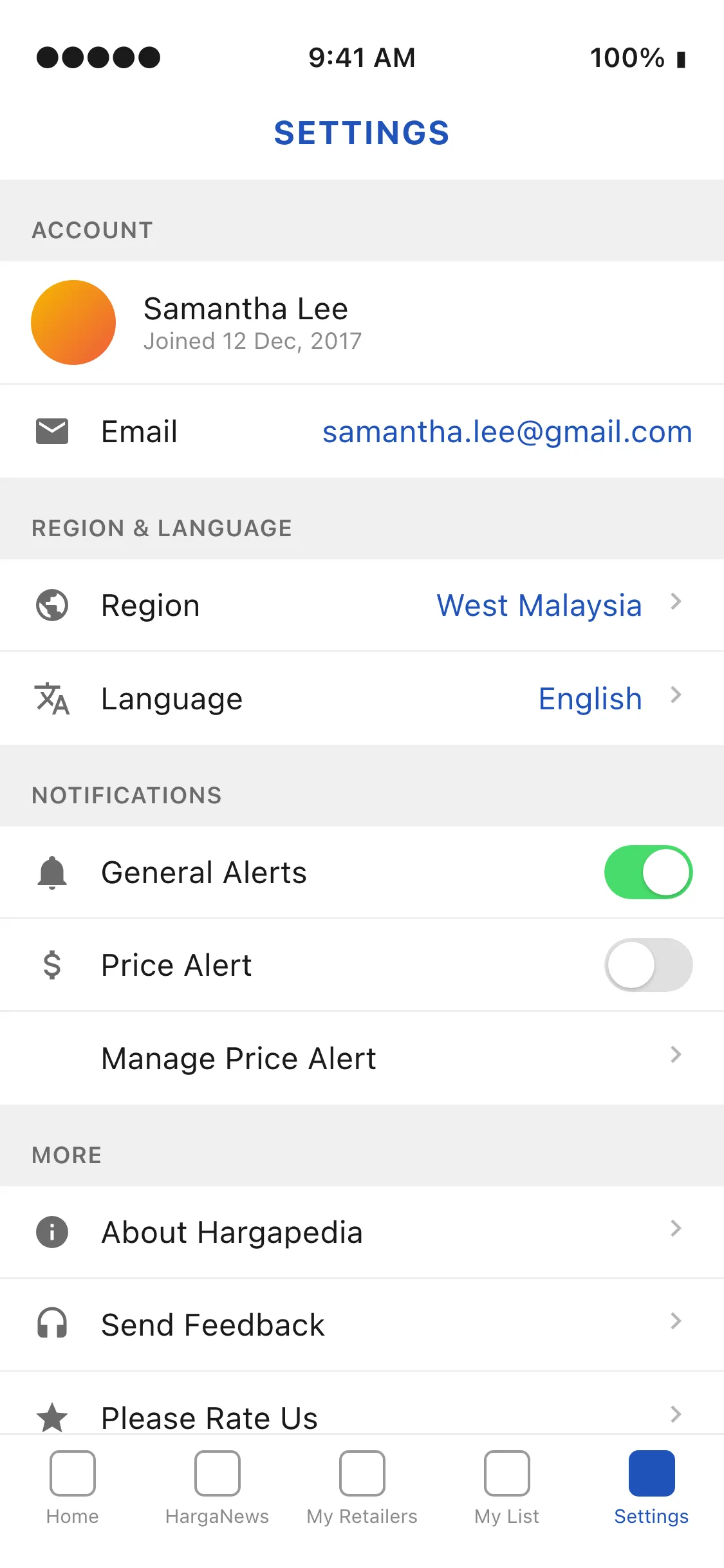
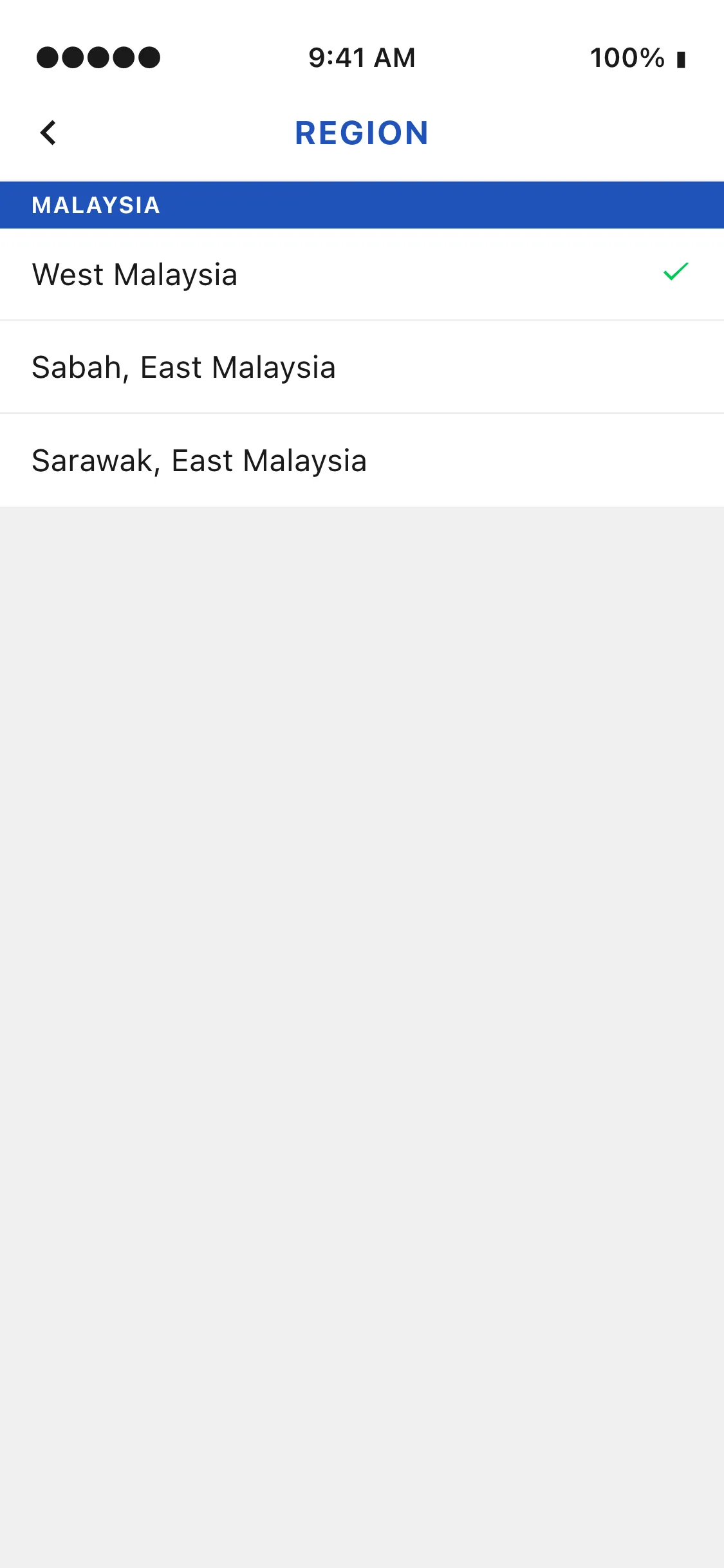
Adding the selector was straightforward. The work was making sure that changing it actually changed everything else.
Making the rest of the app follow
Almost every screen in Hargapedia gets something from the server. The home screen, Must Buy, HargaNews, Explore, search, product pages, My List, brochures, price alerts, and even the polls and popups all need to know which region you’re viewing.
Every one of those requests now has to include the selected region.
Missing one could leave you with a Sabah home screen but West Malaysia prices when you opened a product. That’s why we couldn’t simply turn on the selector when it was first built.
Some parts of the app also needed to behave differently depending on the region.
Take the home screen. Since Hargapedia 2.0, it’s been made up of cards that our marketing team can arrange through the CMS. We’ve now made those layouts regional too, so the team can have a different home screen for Sabah, with its own Must Buy products and promotions.
When you switch to Sabah, the app requests the Sabah layout instead of the West Malaysia one. The cards and their content can be different, even though you’re using the same app.
My Retailers needed similar treatment.
Hargapedia lets you keep a list of favourite retailers and arrange them in your preferred order. But a list of supermarkets you shop at in West Malaysia wouldn’t necessarily make sense in Sarawak.
So each region has its own favourites. Switch to Sarawak and you get a separate list to set up, without losing the one you already had for West Malaysia.
That also affects notifications.
Brochure alerts are tied to the retailers in your favourites, using push notification topics. When you change regions, the app updates those subscriptions to follow the retailers you’ve selected for the new region.
The product page keeps its region label beneath the title, so there’s always an indication of which region’s prices you’re looking at.
All of this happens from that one setting.
Still starting in West Malaysia
There’s one limitation to how we’ve implemented it.
The app still defaults to West Malaysia. We aren’t automatically determining which region someone is in, so people in Sabah and Sarawak need to open Settings and make the change themselves.
Once selected, the region is saved, and the app uses it for subsequent requests.
For now, that gives people in East Malaysia a way to see their own retailers, prices and promotions without needing a separate version of Hargapedia.