Postcodes instead of cities
Hargapedia used to let people type any city or town when setting their location. We've replaced that with a five-digit postcode, although the app doesn't quite use it yet.
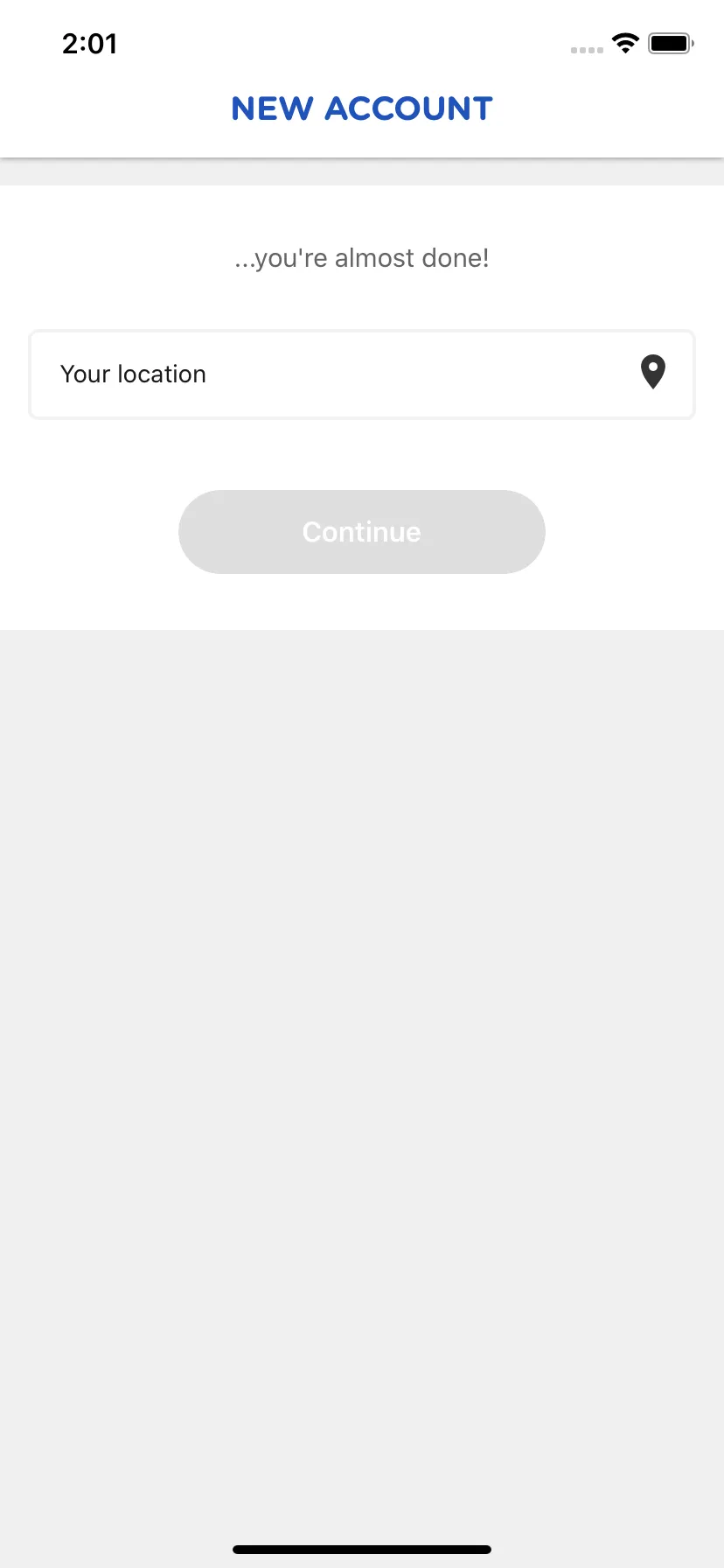
When you create a Hargapedia account, we ask where you’re from. It’s part of the sign-up process, and you can change it later in Settings. The idea is to show promotions and retailers that are relevant to your location.
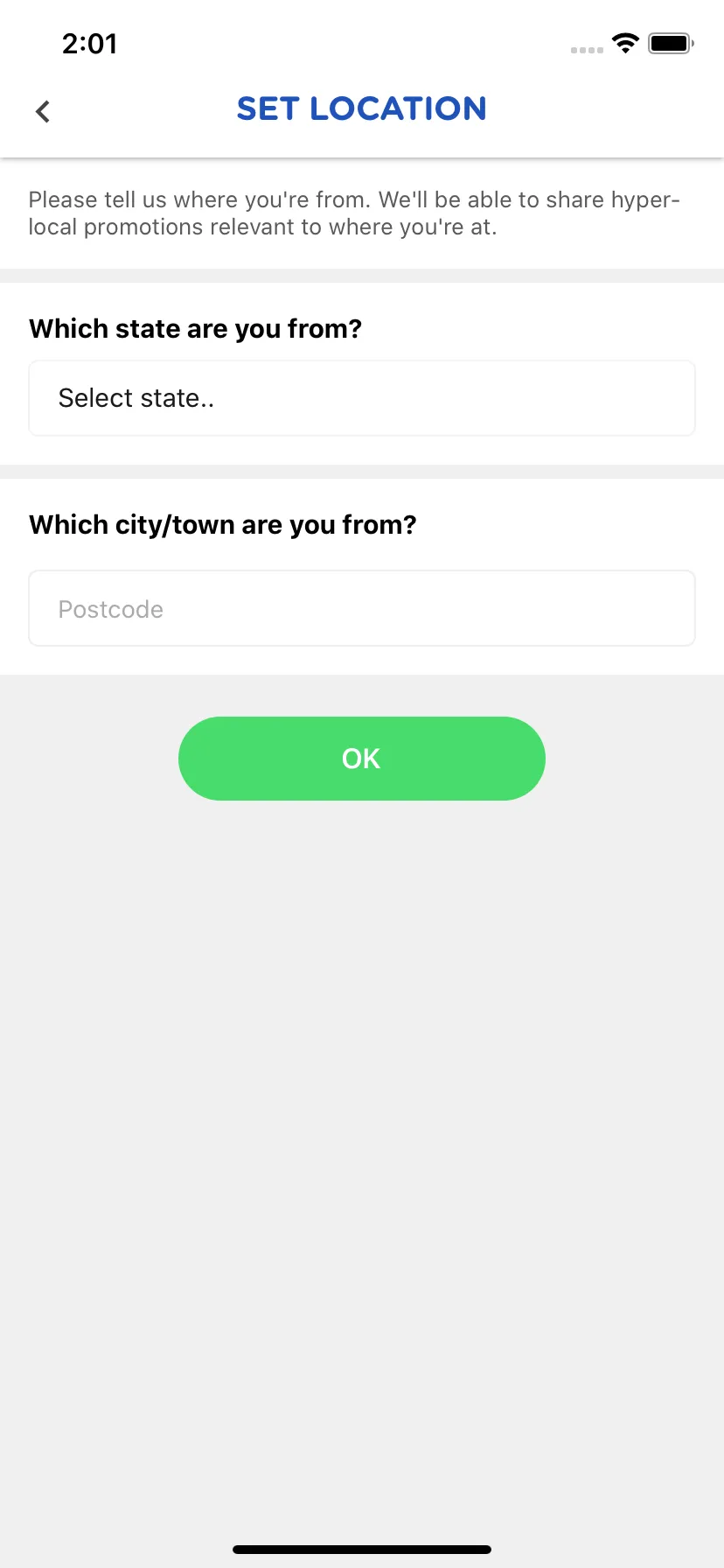
Until this week’s update, you picked your state from a list and typed the name of your city or town. We’ve kept the state selector, but replaced the city field with a five-digit postcode.
The old approach had a problem. People could type whatever they wanted into the city field, including misspellings or names that didn’t quite match where they lived. We had no way to check whether the entry was correct.
A postcode gives us something more consistent to work with, and we can use it to look up the town and state rather than rely on what someone typed.
What we were actually using
The city field wasn’t doing much in the first place.
Each state in Hargapedia has a pair of coordinates, representing a point somewhere within that state. When you choose a state, those coordinates become your location. The app uses them to find nearby retailers during sign-up and saves them as the latitude and longitude on your profile.
The city name doesn’t affect those coordinates.
We joined whatever you typed with the state name and saved it as a label, something like “Petaling Jaya, Selangor”. That was the only place we used it.
So although we were asking for a city, the app was still treating everyone in the same state as being at the same approximate location.
Asking for five digits instead
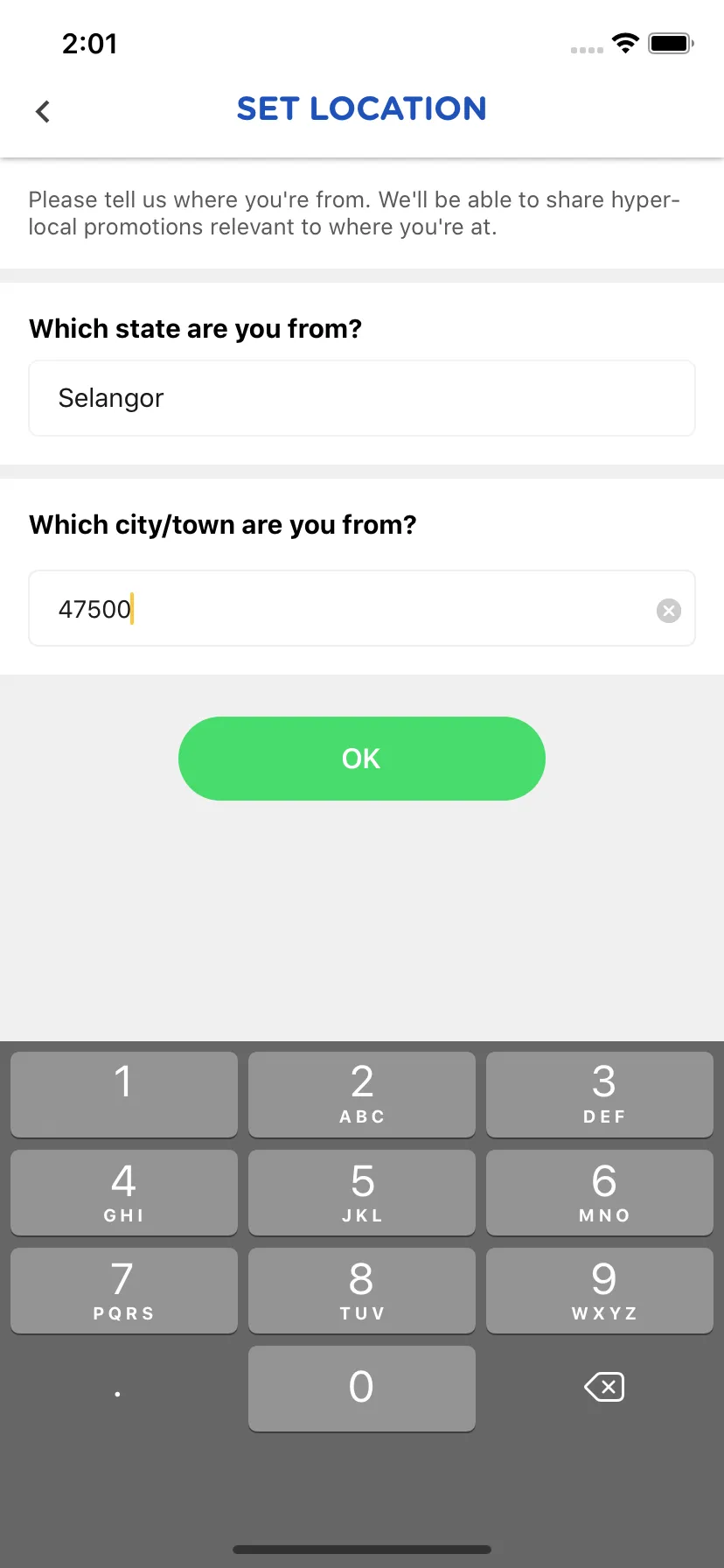
The new postcode field is restricted to five digits. It opens the number pad, removes anything that isn’t a number as you type, and stops accepting input after five characters.
You still need to select your state, and both fields have to be filled before the OK button works.
We’ve also changed what gets saved. Instead of combining the city and state into one label, the profile now stores the state as its label and the postcode in a separate field.
The database already had a postcode column from when we first added the location fields, so there was no need to change the database structure. The app just needed to start collecting it.
There is one thing I missed. The question above the field still says “Which city/town are you from?” even though we’re now asking for a postcode. The placeholder says Postcode, and the number pad comes up when you tap it, but the question itself is a leftover from the old form.
For now, that’s all the change does. We save the postcode, but the app still uses the state’s coordinates when it needs a location. We’re collecting more specific information without actually using it to locate anyone more precisely.