Newsboard for AIA, part 2: building it
How we built Newsboard: a module that lives inside AIA's iMO app, an admin for AIA's editors, and a backend in Go on App Engine.
Part 1 was the pitch and the board. This part is how we built Newsboard … the module on the iPad, the admin AIA’s editors run it from, and the backend in between.
Inside iMO
Newsboard lives inside iMO, an app we don’t build, so it had to be a CocoaPods library that iMO pulls in. CocoaPods is how iOS apps add code from outside … you list the library in a Podfile and it gets built into the app. Enoch wrote the spec in March, iPad only, landscape only, iOS 7 and 8, and he built the module. It comes with a small example app that has one button to open Newsboard, the way iMO would.
Planners aren’t always online, so Newsboard keeps what it last downloaded. Open it without a connection and you still get the board and the latest articles, and the images of the last ten articles you read stay on the iPad. Videos only play online.
The admin
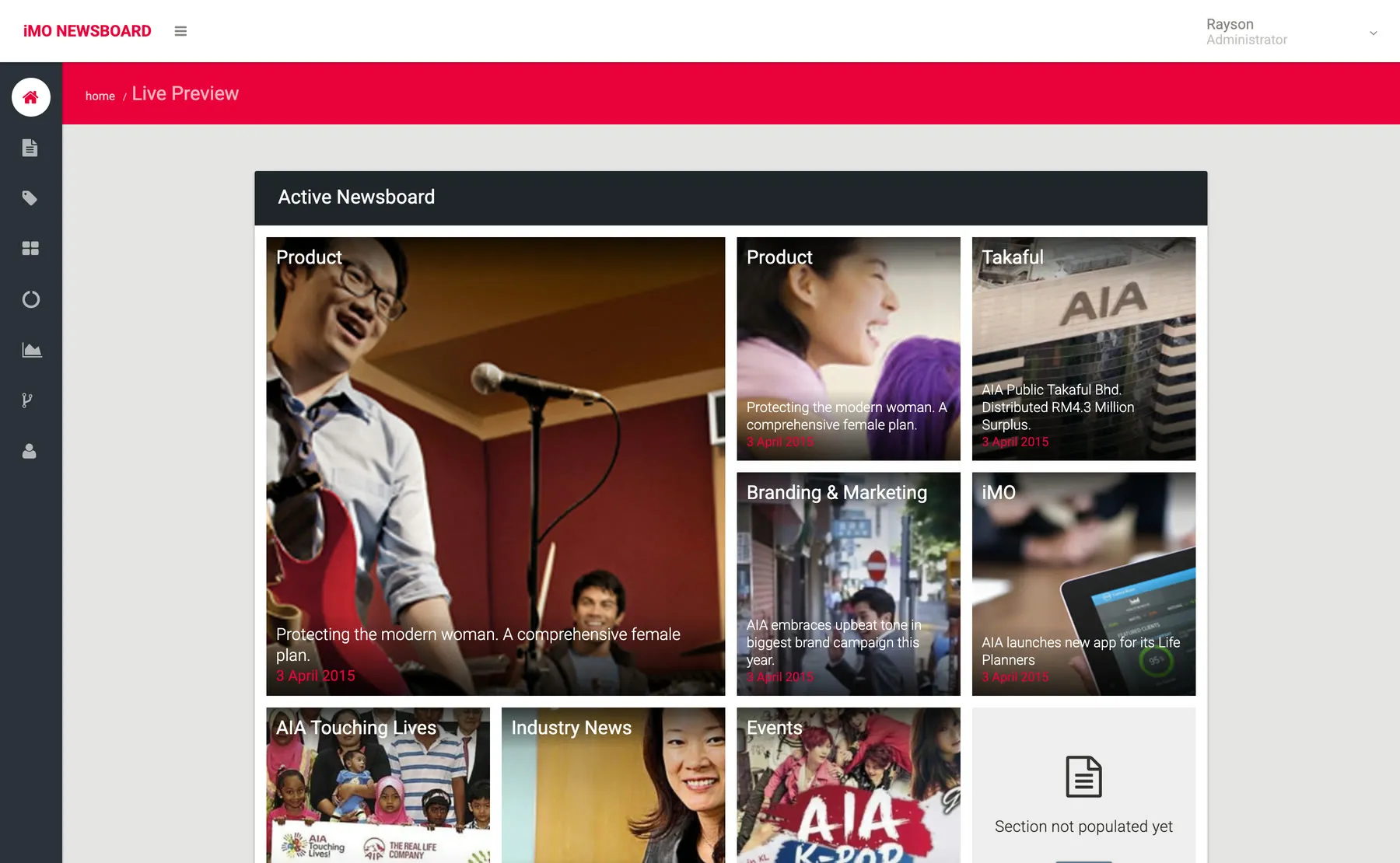
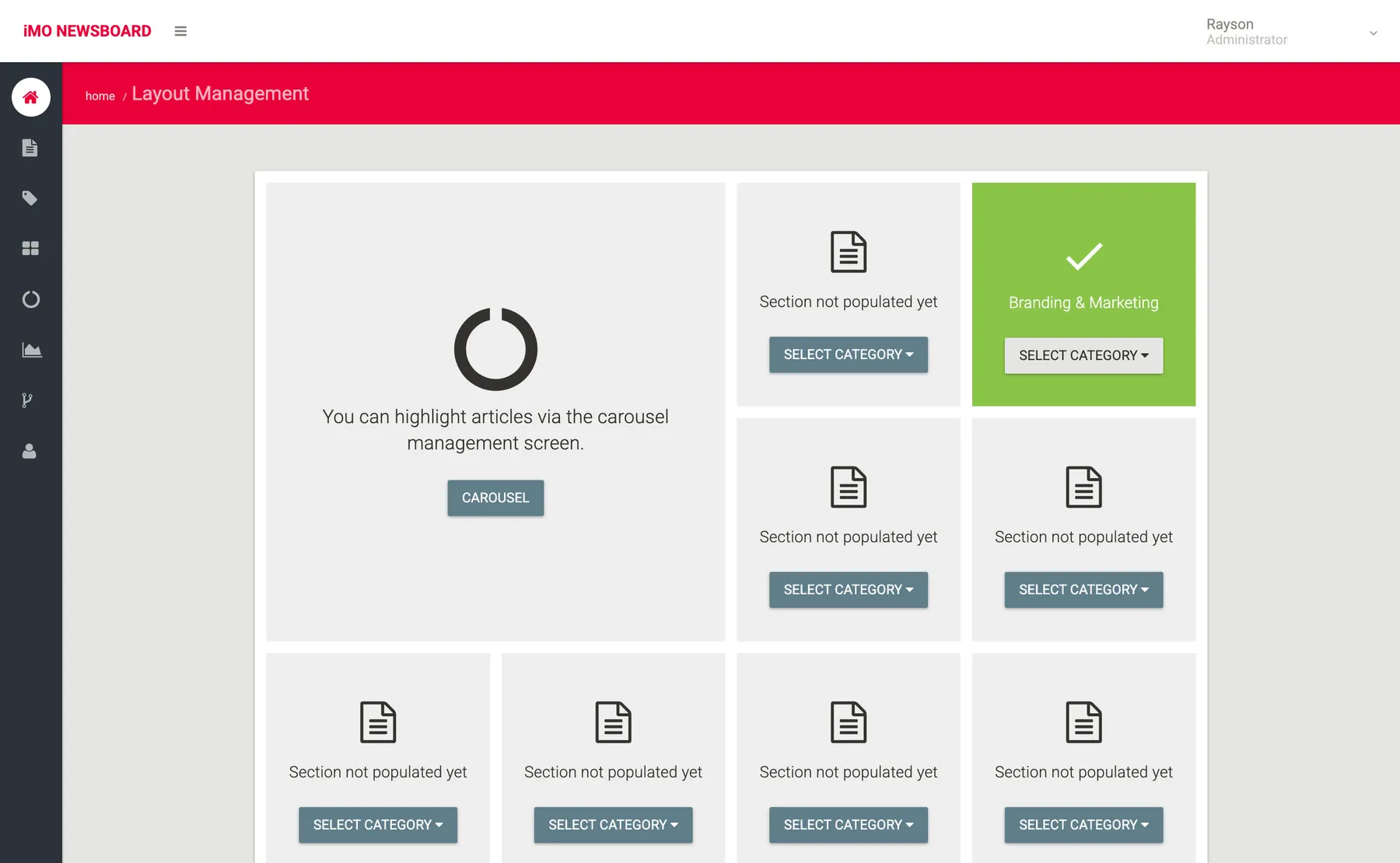
I designed the admin. Most admin screens don’t have a modern design, so ours is a breath of fresh air. It’s Material Design, the look Google brought out last year, in AIA’s red. I mocked up the pages in HTML first … a live preview of the board, the articles, writing an article, which category goes in which tile, which articles go in the carousel, what’s being read, and the users.
Editors write in a rich text editor, drop in a thumbnail, and either save a draft or publish, now or on a date they pick.
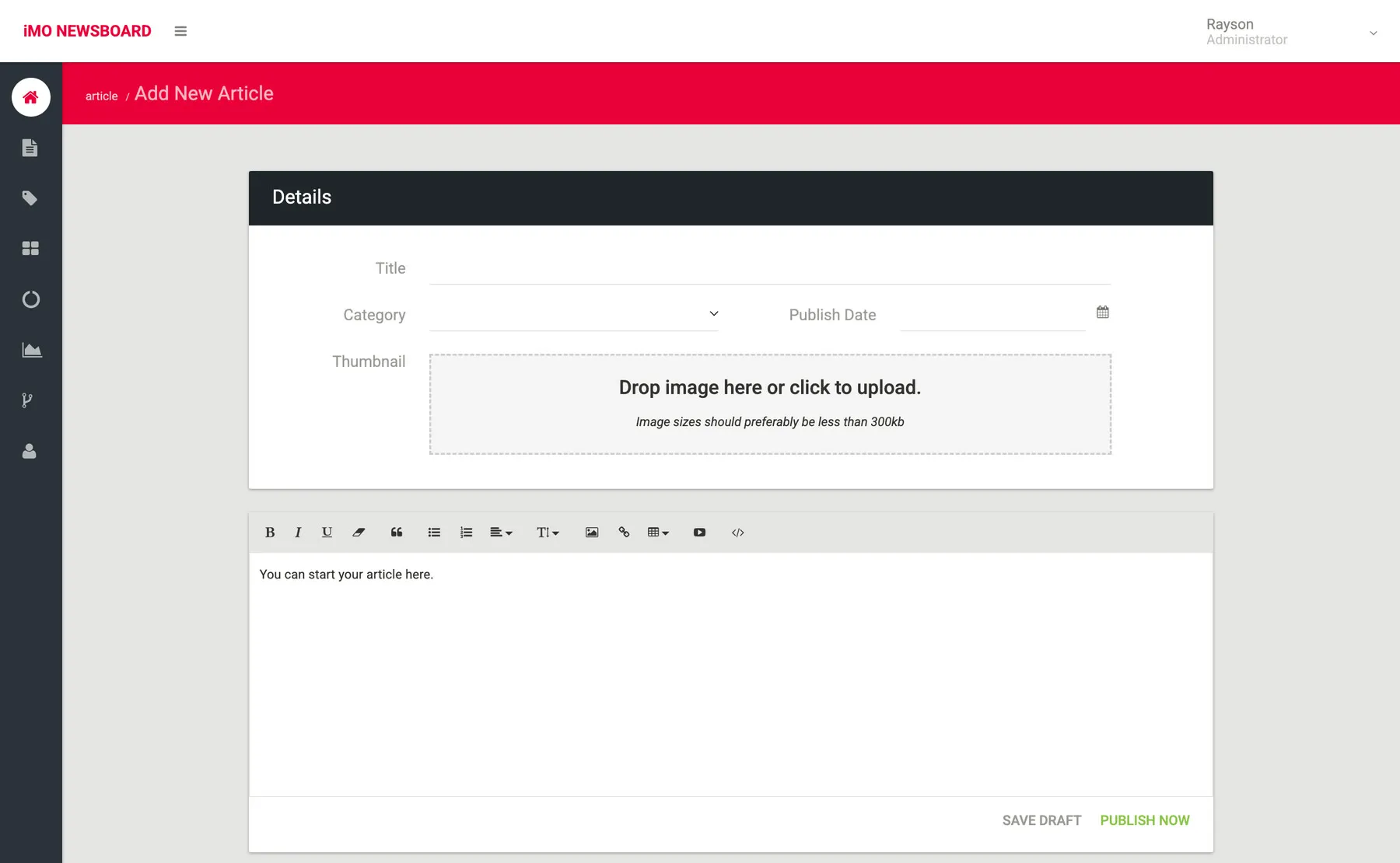
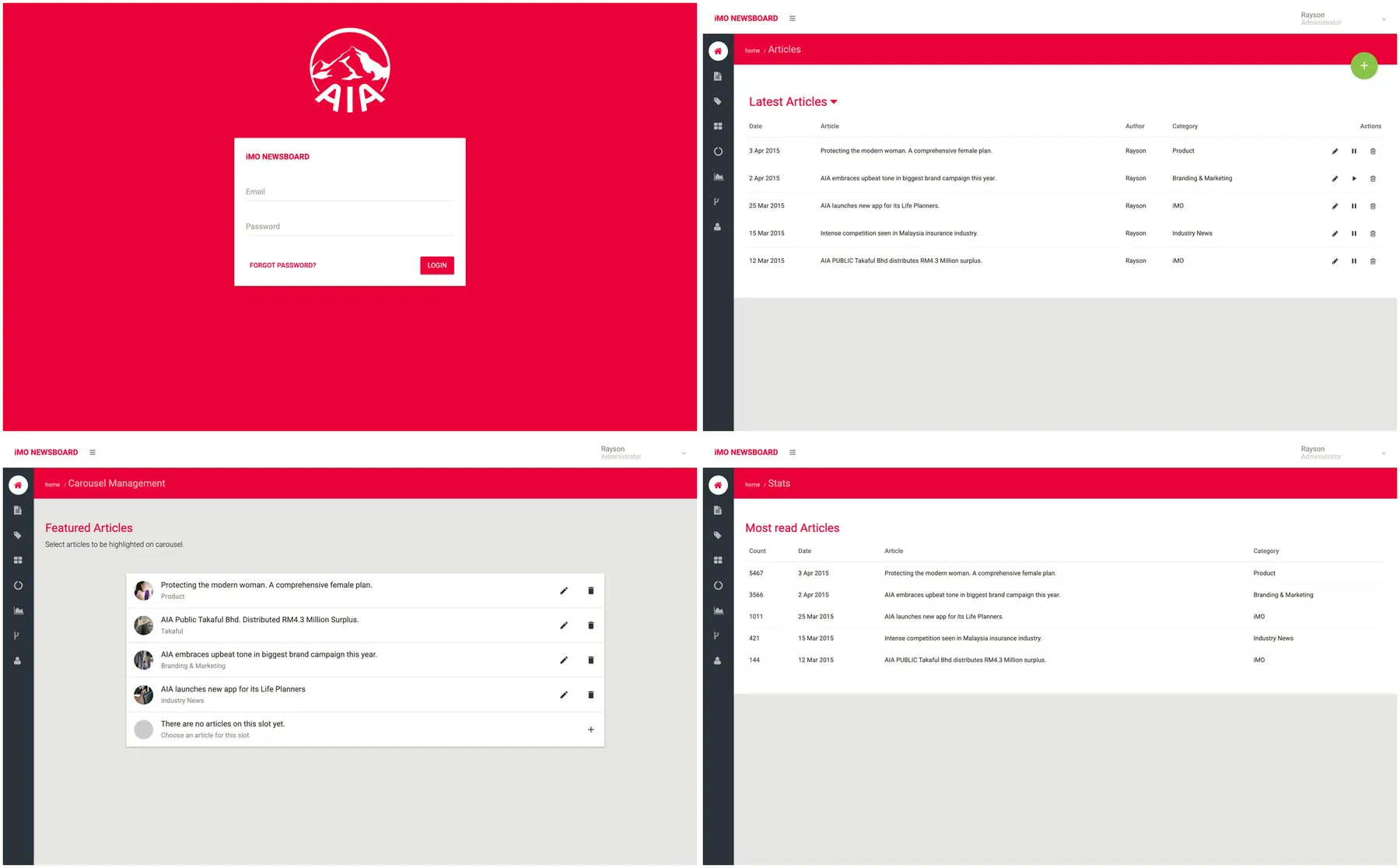
Then we built it in React, like Masterpieces, with alt for Flux, Material UI for the components and webpack to bundle it all. Ow wrote most of the code, and I took my mockups into the React app and styled the floating add button, the snackbars, the loading bar along the top, the breadcrumbs, the rich text editor and the image drop zone.
The admin has its own logins for admins and editors, separate from AIA’s. AIA has a password standard, and we had to follow it. A password needs at least eight characters, with upper and lower case letters, a number and a special character, and no character four times in a row. You can’t reuse any of your last twelve. Get your password wrong three times, or don’t log in for a month, and your account is locked until an admin opens it again. Passwords are only stored as hashes, and every change in the admin goes into an audit log, so AIA can see who did what.
Sessions run out after half an hour too, so there’s a dialog that counts down before yours ends, with a button to carry on.
The backend
The backend is Go on Google App Engine, both of which we’ve started adopting this year. Ow wrote most of the API, and Enoch did the password rules and the audit log. The iPad’s routes don’t need a login, and anything that changes content does.
The stats page needs to know what planners are reading. The iPad keeps its own count of every article you open, even offline, and sends it up when it can. On App Engine you can’t have lots of planners adding to the same number at once, so each article’s count is split across shards, and once a day a cron job adds them up.