Designing a chatbot in WhatsApp screenshots
A chatbot has no screens to put in a design document, so we drew Mama's conversations as WhatsApp screenshots, one message at a time. Here's what shipped as drawn, and what didn't.
A few weeks after MoneyMama started answering on WhatsApp, in May 2025, we needed to write down what the bot did and what it was going to do. Partly for the documentation, partly so everyone on the team was looking at the same thing.
With an app, you’d put screens in the document. With a chatbot there are no screens. There’s a conversation.
So we drew the conversations instead, as WhatsApp screenshots, one message at a time.
A storyboard, not a mockup
Each feature got a folder of fake WhatsApp screens. Every frame adds one message and scrolls, so flipping through them is like watching the chat happen. You see the user ask, Mama reply, a button get tapped, and the next morning’s message arrive.
In May we drew reminders, a savings reminder, receipts and a budget. In August we added a scam check.
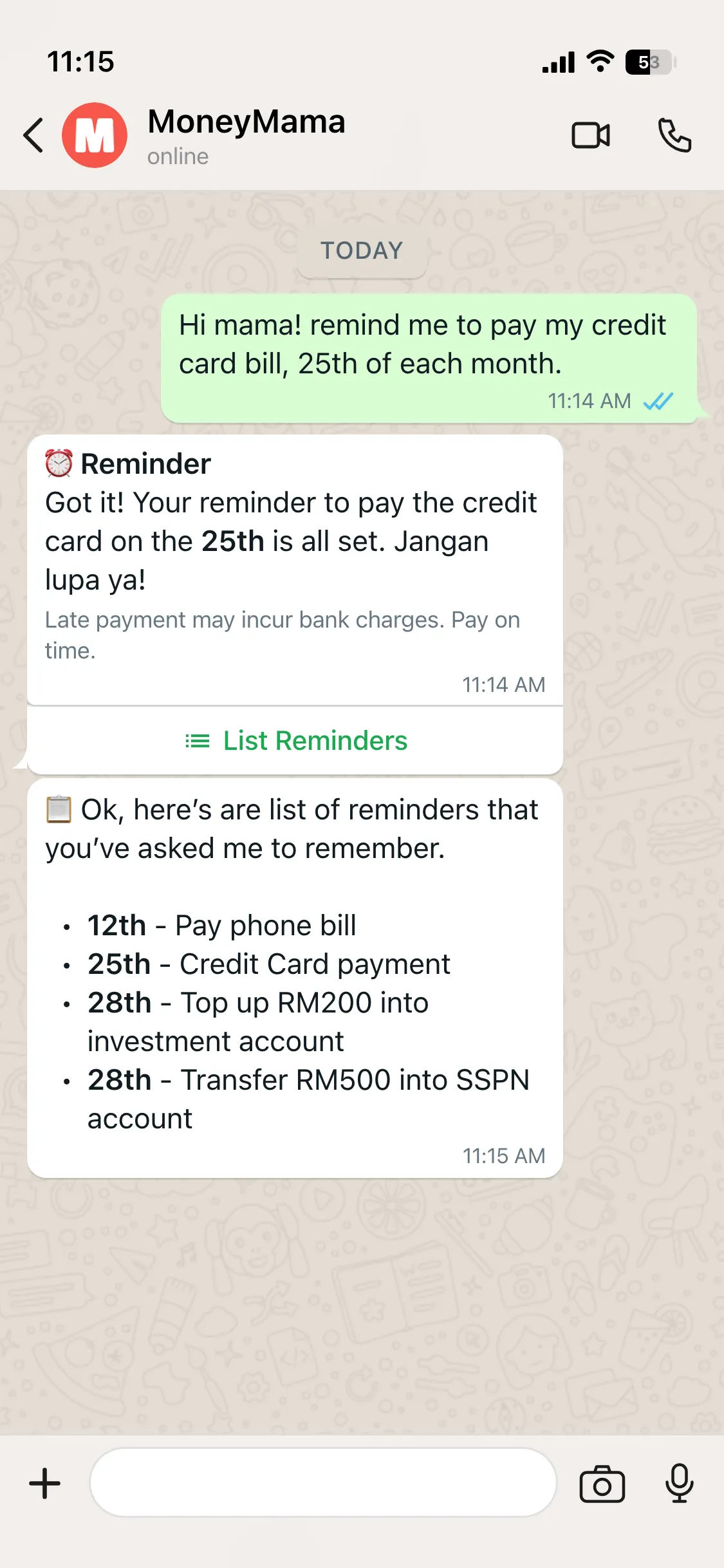
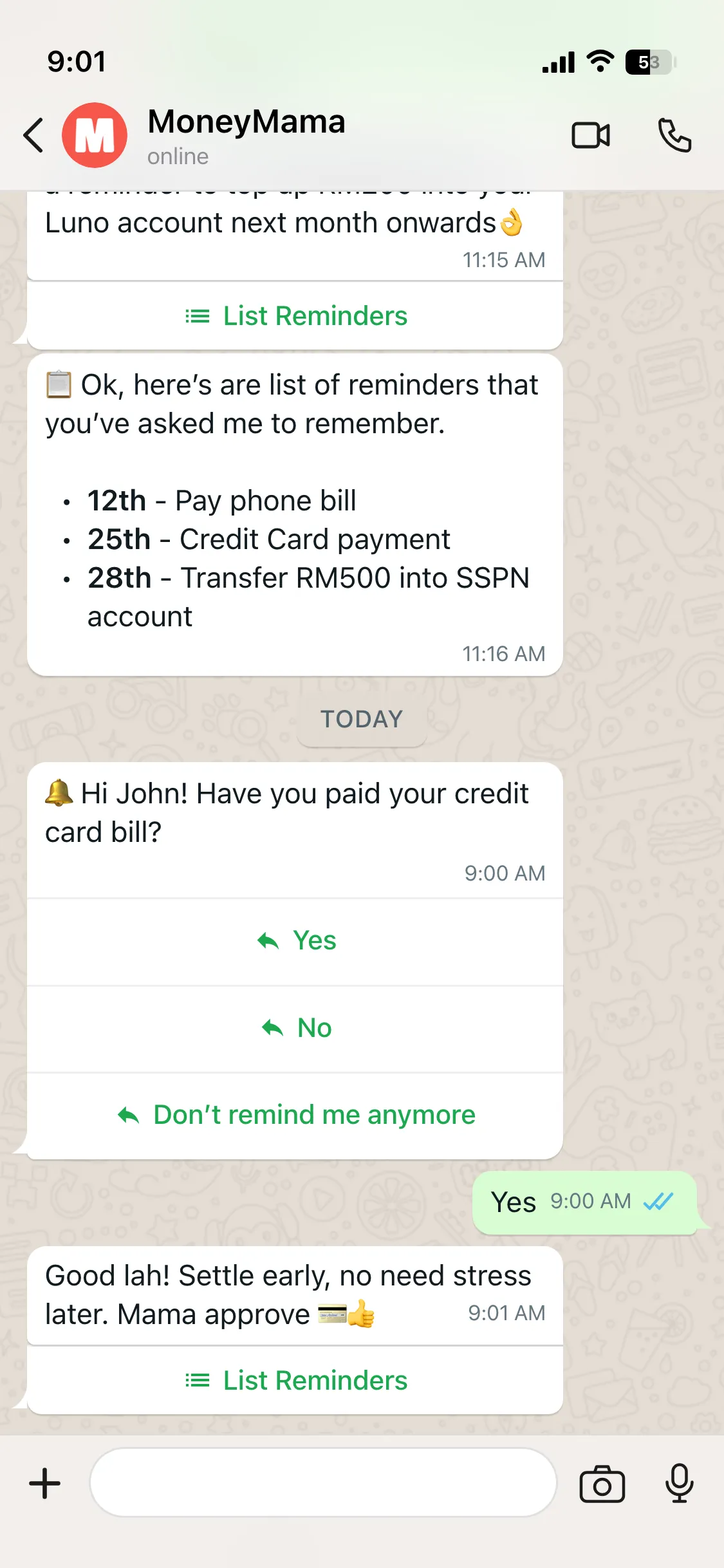
The mocks share a few rules, and those rules more or less became the bot’s design language. Each card opens with a bold title line, like “Reminder” or “Budget Time!”. Every choice the user has to make is a WhatsApp button, so nobody has to type “yes” or spell out a date. And the cards that set something up end with a button that lists everything you’ve set up so far.
Mama’s voice was in there from the start too. “Jangan lupa ya.” “Good lah.” “Aiyo.”
What the mock couldn’t show
Reminders were the one feature already working when the mocks were drawn, so that one is the closest to what shipped. The Yes, No and Don’t remind me anymore buttons came out in June exactly as drawn.
The morning message was a different story.
WhatsApp only lets a business send free-form messages within 24 hours of the user’s last message. A reminder that arrives once a month is almost always outside that window, so it can’t just be sent. It has to go out as a message template that Meta has approved in advance, with the wording fixed.
None of that is visible in the drawing. But it’s what the reminder feature ended up being built around, and it’s the kind of constraint a storyboard doesn’t surface until you try to build it.
The ones that changed shape
Most of the other mocks shipped, but not quite as drawn.
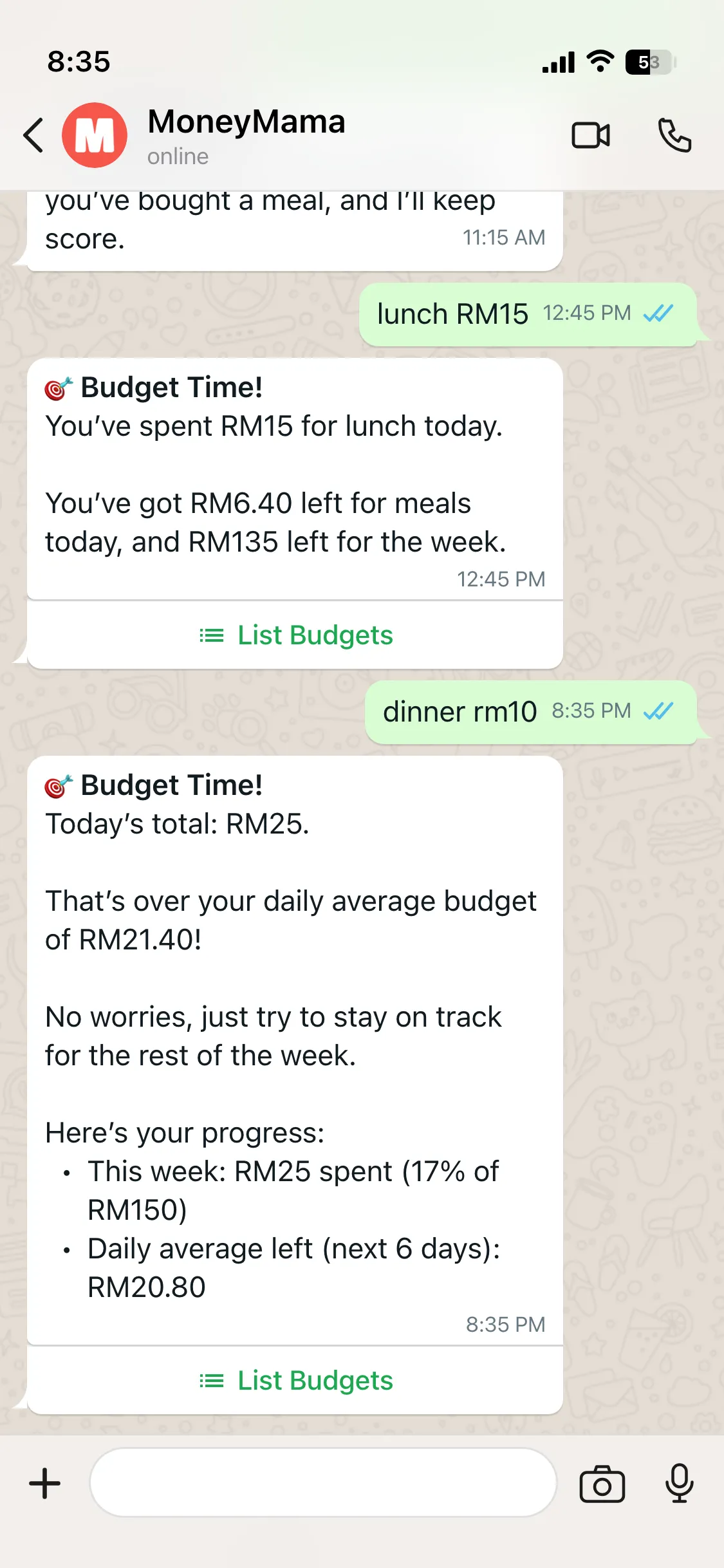
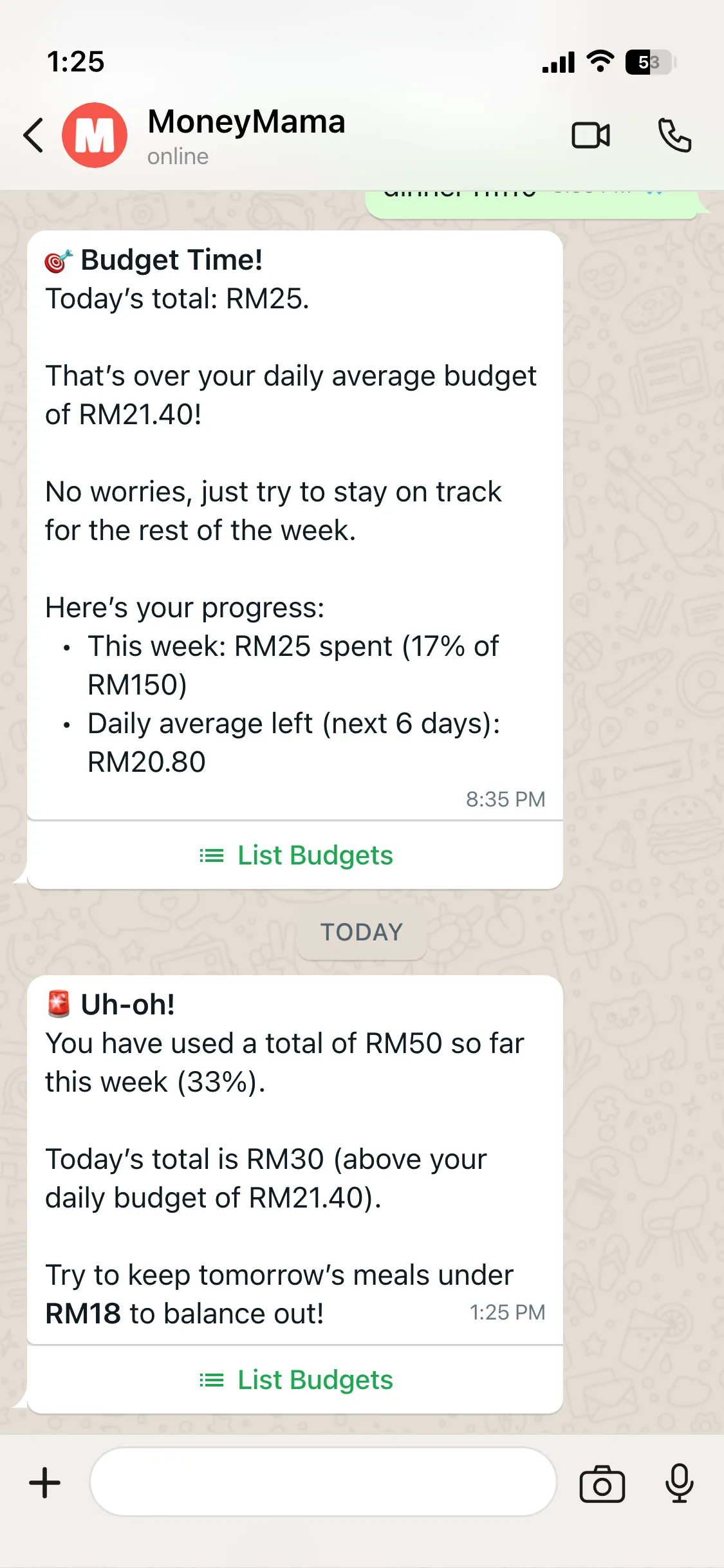
The budget mock has you tell Mama you want to spend RM150 a week on meals. She works out that’s about RM21.40 a day, and from then on you just tell her what you ate. “lunch RM15” gets you what’s left for today and the week, and “dinner rm10” gets a warning that you’ve gone over the daily average. The next morning there’s an “Uh-oh!” with how much of the week is already gone.
Budgets went in as spending caps in September, and the progress updates came last week.
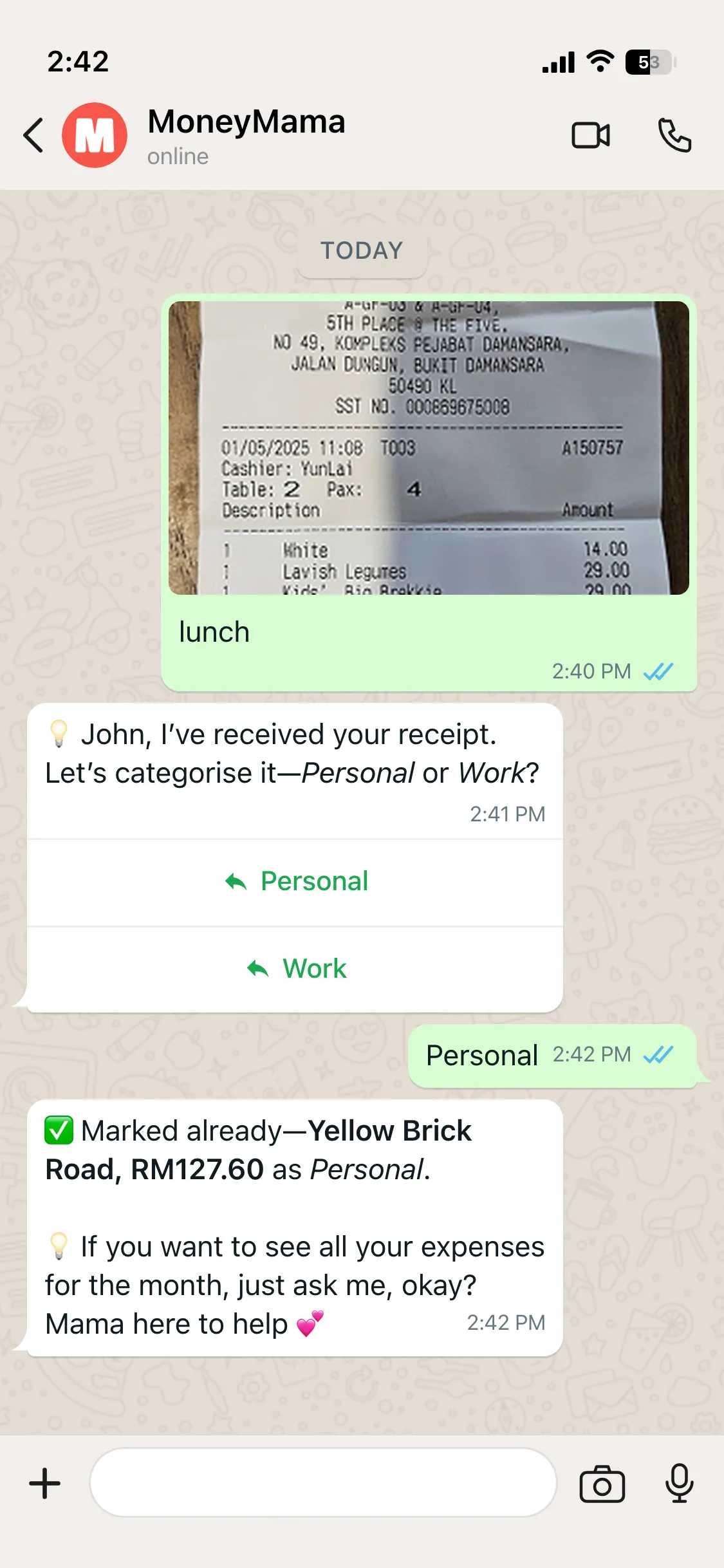
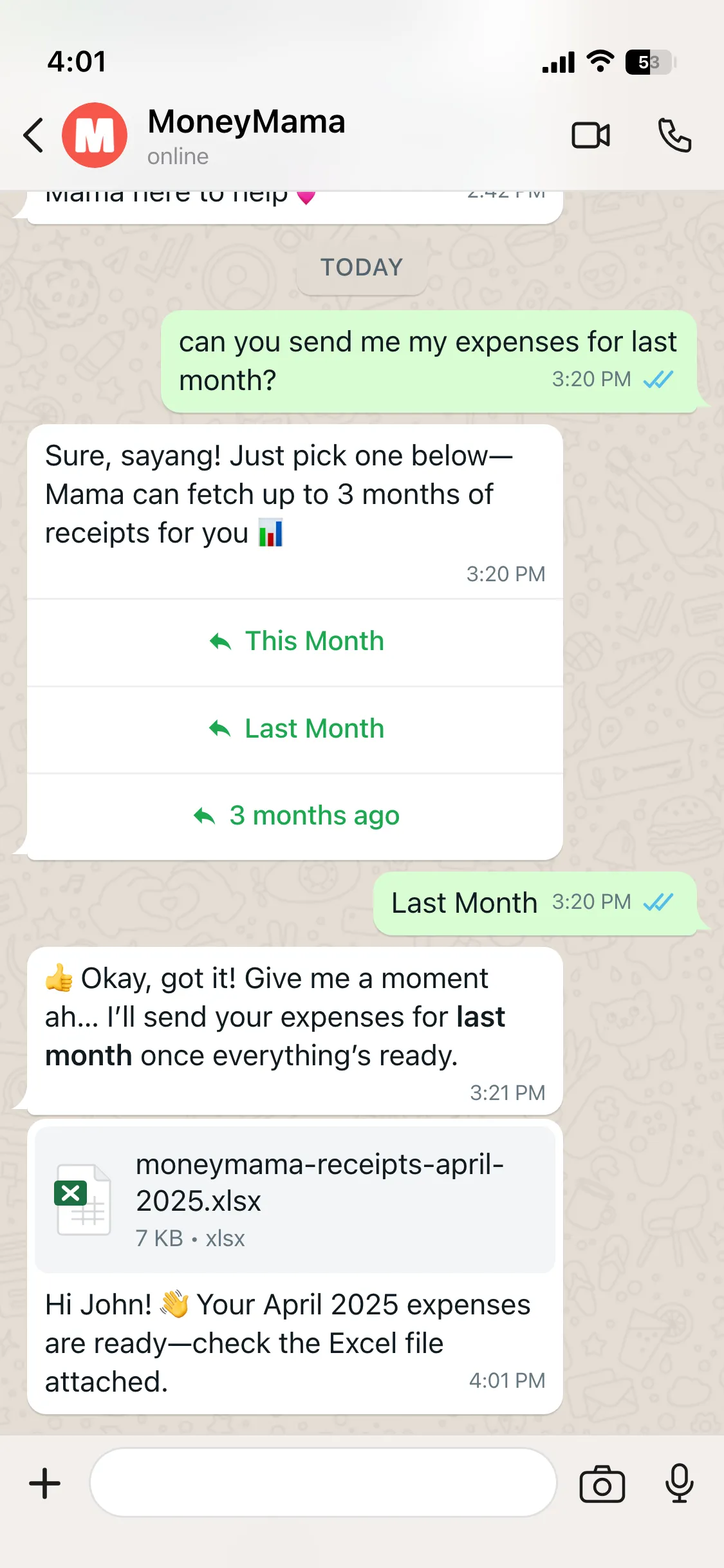
The receipt mock has you send a photo of a lunch receipt with the caption “lunch”. Mama asks whether it’s personal or work, files it, and later sends you an Excel file of last month’s expenses when you ask for it.
Logging expenses by chat came in July and the personal and work tags in September. The Excel file never arrived in the chat. It ended up as an export on the dashboard instead. And Mama only learnt to read the receipt photo itself at the end of October, five months after the drawing.
The scam check
The quickest trip from drawing to bot was the one we drew last.
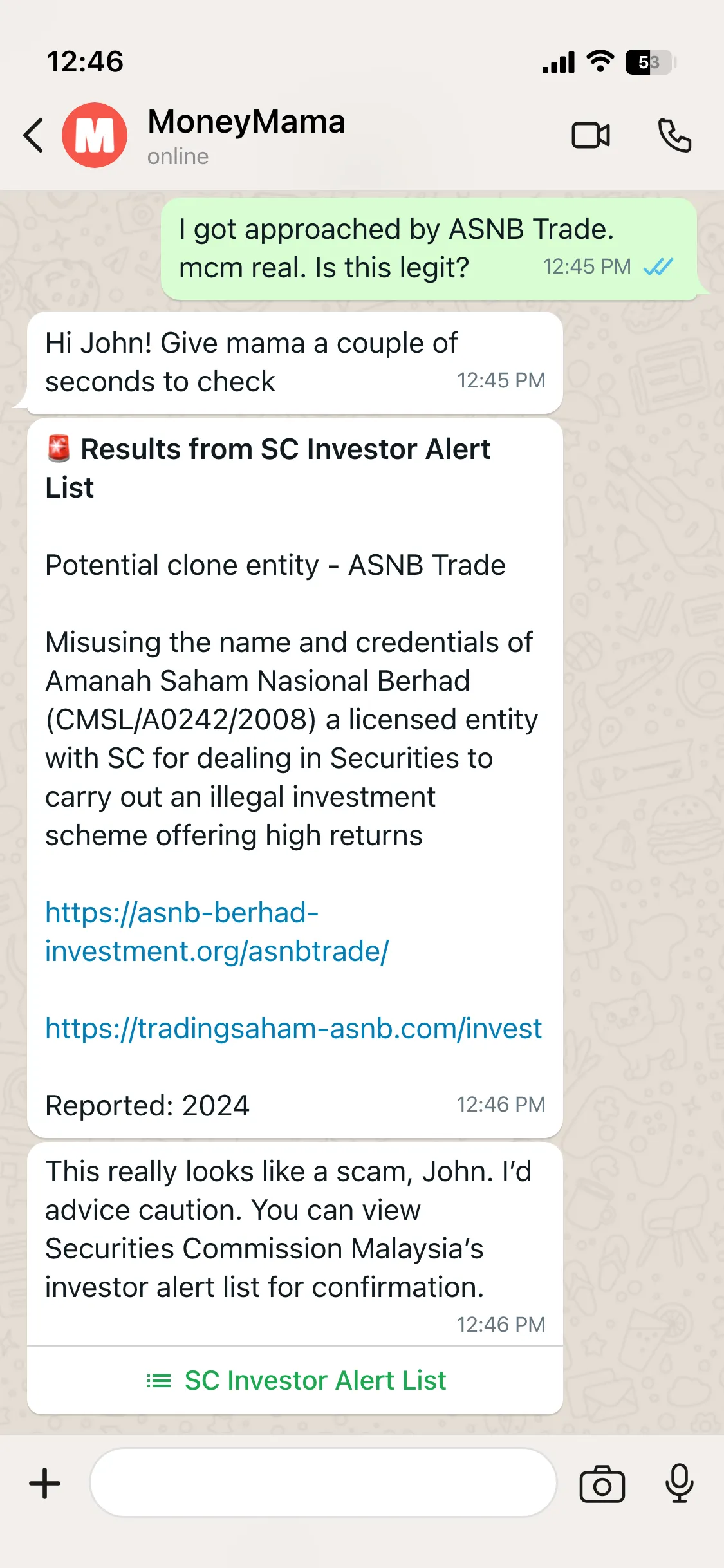
In the mock, someone asks about an investment called ASNB Trade. “mcm real. Is this legit?” Mama checks and finds it on the Securities Commission’s Investor Alert List as a potential clone entity, misusing the name of Amanah Saham Nasional, and tells them it looks like a scam.
We drew that in August, and two weeks later it was live, checking the SC’s list, Bank Negara’s Financial Consumer Alert List, and the police’s Semak Mule database for phone numbers and bank accounts.
The prompt was only the start
Drawing the conversations first did change how we wrote the prompts. We knew what Mama should say before we asked a model to say it.
But a mock shows a message going straight to the right feature, and the real bot doesn’t work like that. “lunch RM15” could be an expense to log, a question about the budget, or something else altogether, and something has to decide which before any prompt matters.
So the prompts turned out to be the easy half. The other half was classifiers. At first a set of simple rules ran first and a small model handled what they missed. In July we flipped it so the model goes first. Last month it became a router that decides in two steps.
That’s a whole other post.