NutriFact: sugar, fat and sodium on the product page
Hargapedia's product pages now show fat, sugar and sodium from the packaging, alongside reference figures from Malaysia's Ministry of Health.
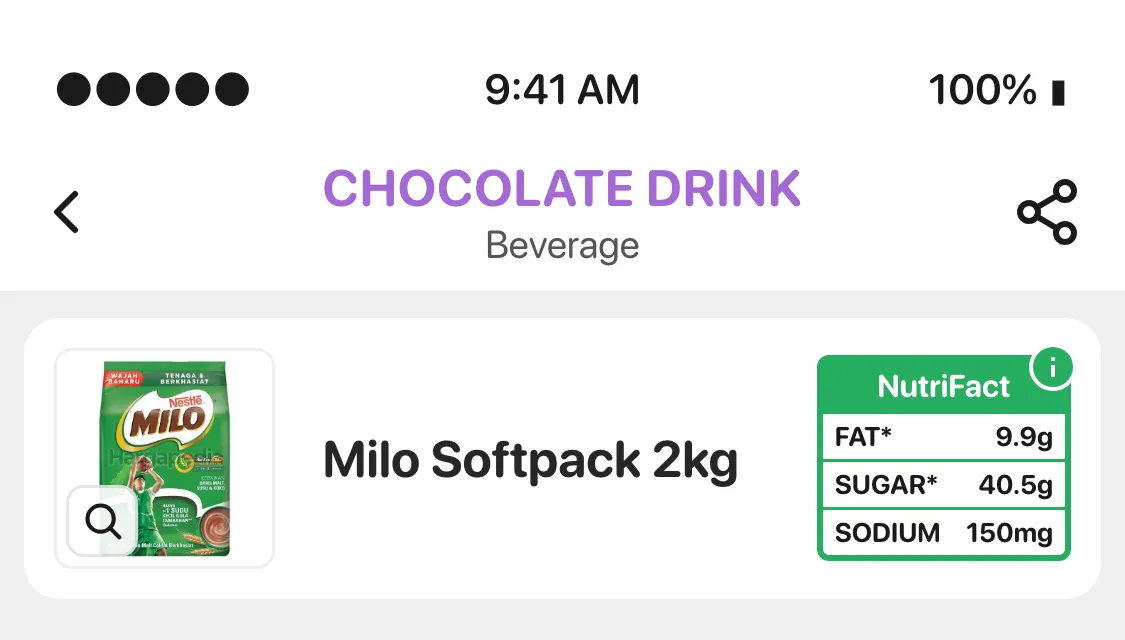
There’s now a small green box beside the product name on Hargapedia called NutriFact. It shows three things from the product’s nutrition label: total fat, total sugar and sodium.
The numbers are already printed on the packaging, but they aren’t always easy to find, and knowing that a product contains 20g of sugar doesn’t necessarily tell you whether that’s a lot.
So we’ve put those figures on the product page, with a reference table from the Ministry of Health Malaysia to help people make sense of them.
We’re calling it NutriFact because that’s what we’re showing. There are no scores or recommendations, just the numbers from the label and something to compare them against.
Getting the numbers
The nutrition data comes from our own collection team.
When they’re in stores gathering the product information Hargapedia already tracks, they now record the total fat, total sugar and sodium from the nutrition panel on the packaging.
Most products show these figures per 100g, which is what we use. Some only provide them per serving, so we record that distinction and show it in the app.
Not every product has all three figures available. If we’re missing one, the badge simply leaves it out. And if we don’t have any nutrition data for a product, there’s no NutriFact badge at all.
That way, we’re only showing information we’ve actually collected.
Putting NutriFact on the product page
I designed NutriFact as a small badge that sits beside the product name, inside a green border.
It has three rows labelled FAT*, SUGAR* and SODIUM, with the values beside them. The asterisks indicate that we’re showing total fat and total sugar, rather than specific types such as saturated fat or added sugar.
There’s also a small information icon in the corner. Tap the badge and a modal opens with the product name, its nutrition figures and a table of reference values.
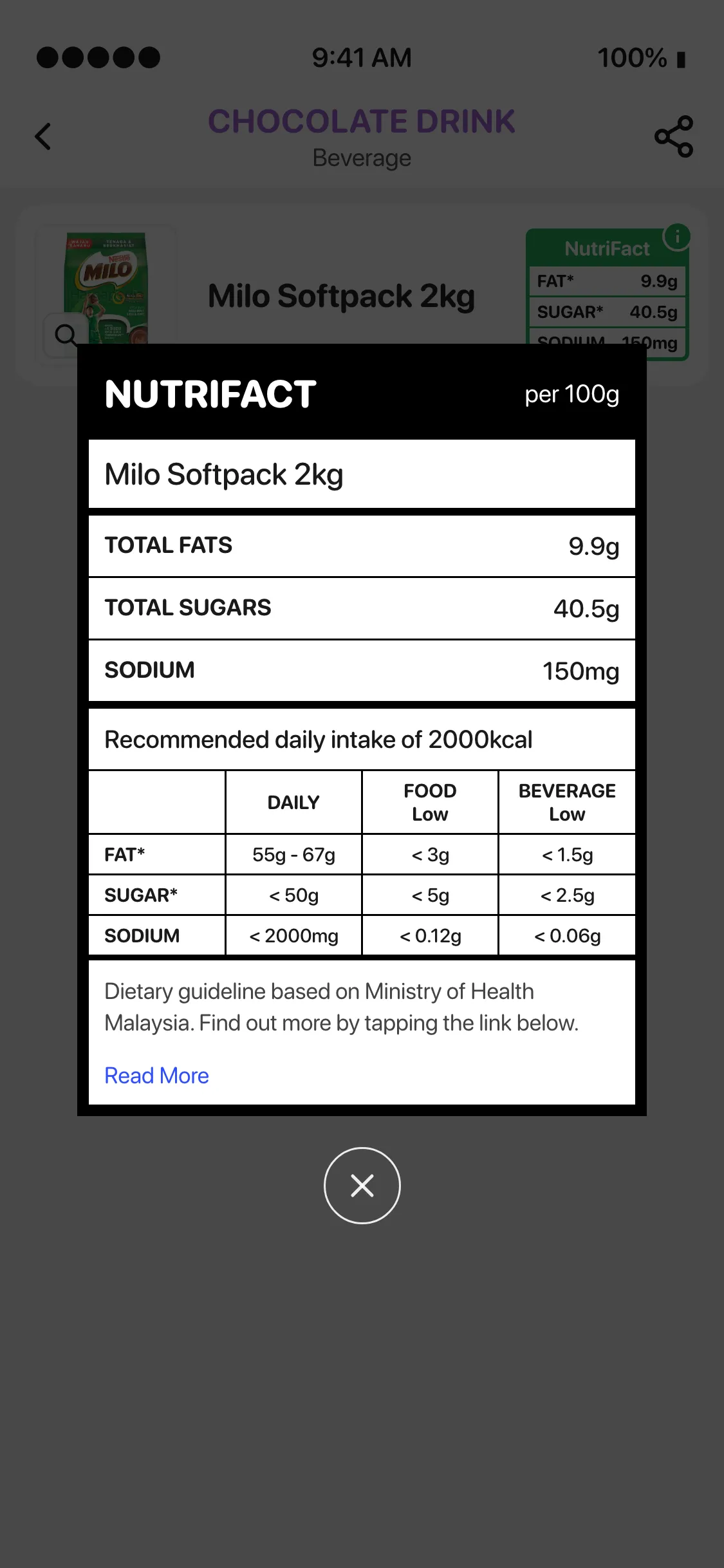
The reference table uses the Malaysian Dietary Guidelines from the Ministry of Health, based on a 2,000 kcal daily diet.
It shows daily reference amounts of 55g to 67g for fat, less than 50g for sugar and less than 2,000mg for sodium.
Beside those are two columns showing what counts as low in foods and beverages.
For food, the low thresholds per 100g are below 3g of fat, 5g of sugar and 0.12g of sodium. For beverages, measured per 100ml, they’re below 1.5g of fat, 2.5g of sugar and 0.06g of sodium.
There’s a note crediting the Ministry of Health, and a Read More link opens the Malaysian Dietary Guidelines for anyone who wants the full reference.
Take Milo Softpack 2kg, for example. Its packaging lists 40.5g of sugar per 100g. The daily reference for sugar is less than 50g, so the figures give you some context, although how much sugar you actually consume depends on the serving size.
I didn’t add colour-coded warnings or turn the figures into a nutrition score. The badge shows what’s on the packaging, and the modal provides the reference values. It’s up to the person reading them to make the comparison.
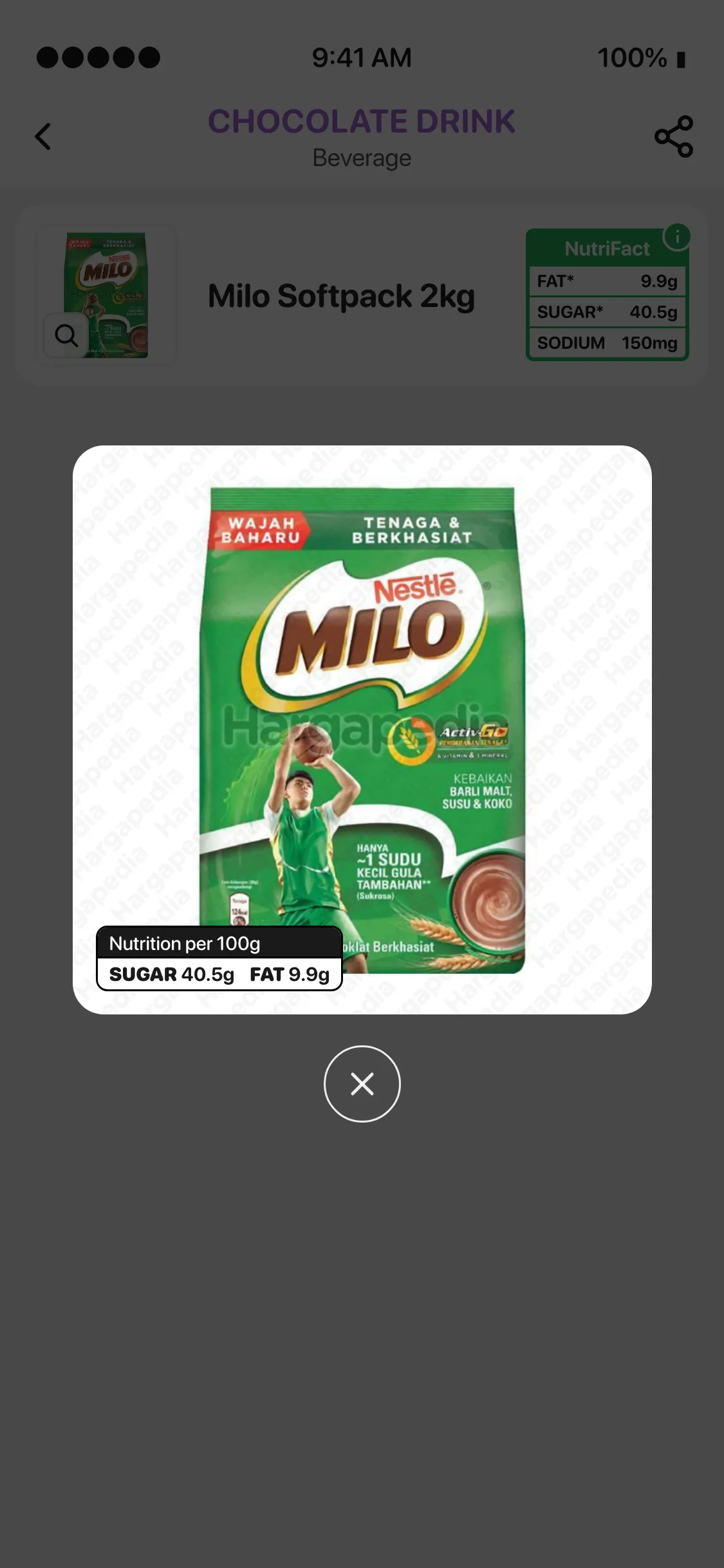
There’s one more place where the numbers appear. When you tap the magnifier to enlarge a product photo, a small Nutrition per 100g label sits over the image, showing its sugar and fat figures.
Hargapedia’s website got the same NutriFact badge and modal on the same day.