eziPay, a year on: the redesign
A year after eziPay went into the laundromats, the app gets its first redesign, and here it is next to the old one, screen by screen.
eziPay has been in the laundromats for about a year, and the app is getting its first proper redesign. The admin web had its makeover in January and February, and now it’s the app’s turn. There are eight Cleanpro Express outlets on eziPay, around KL and Selangor.
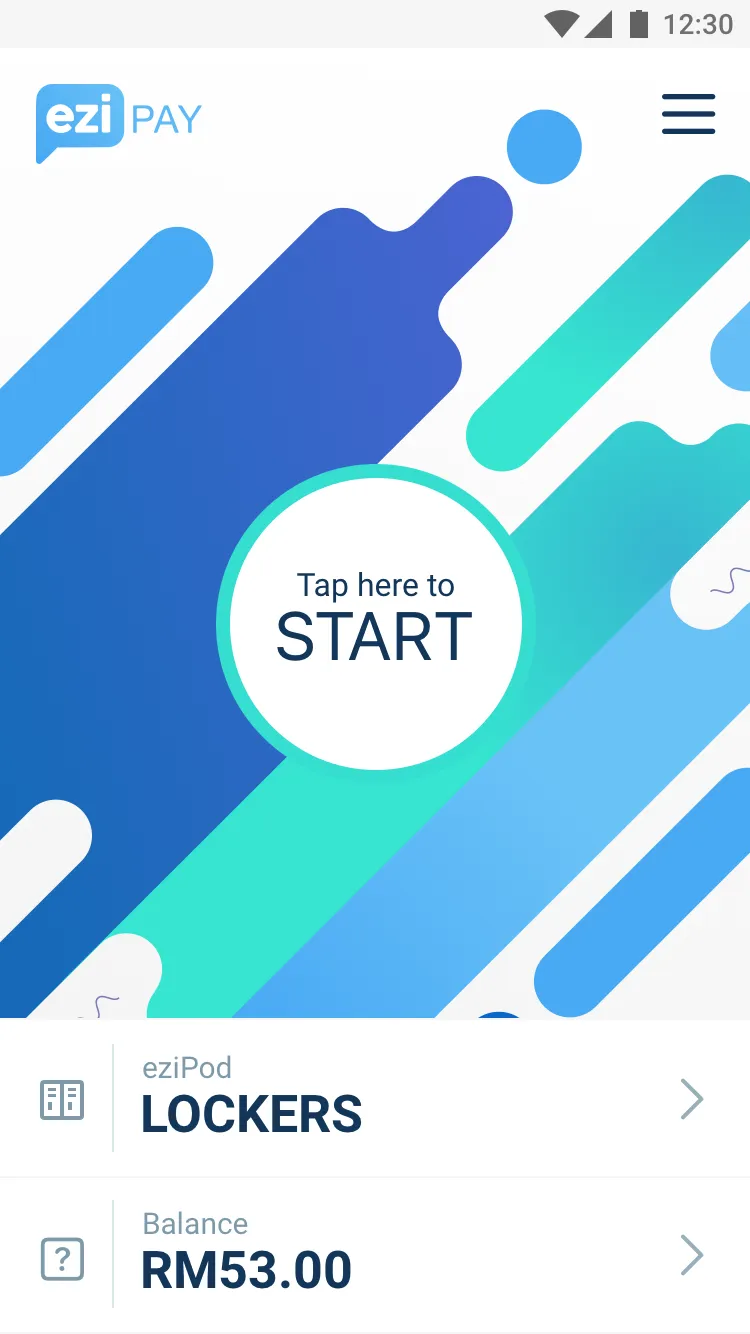
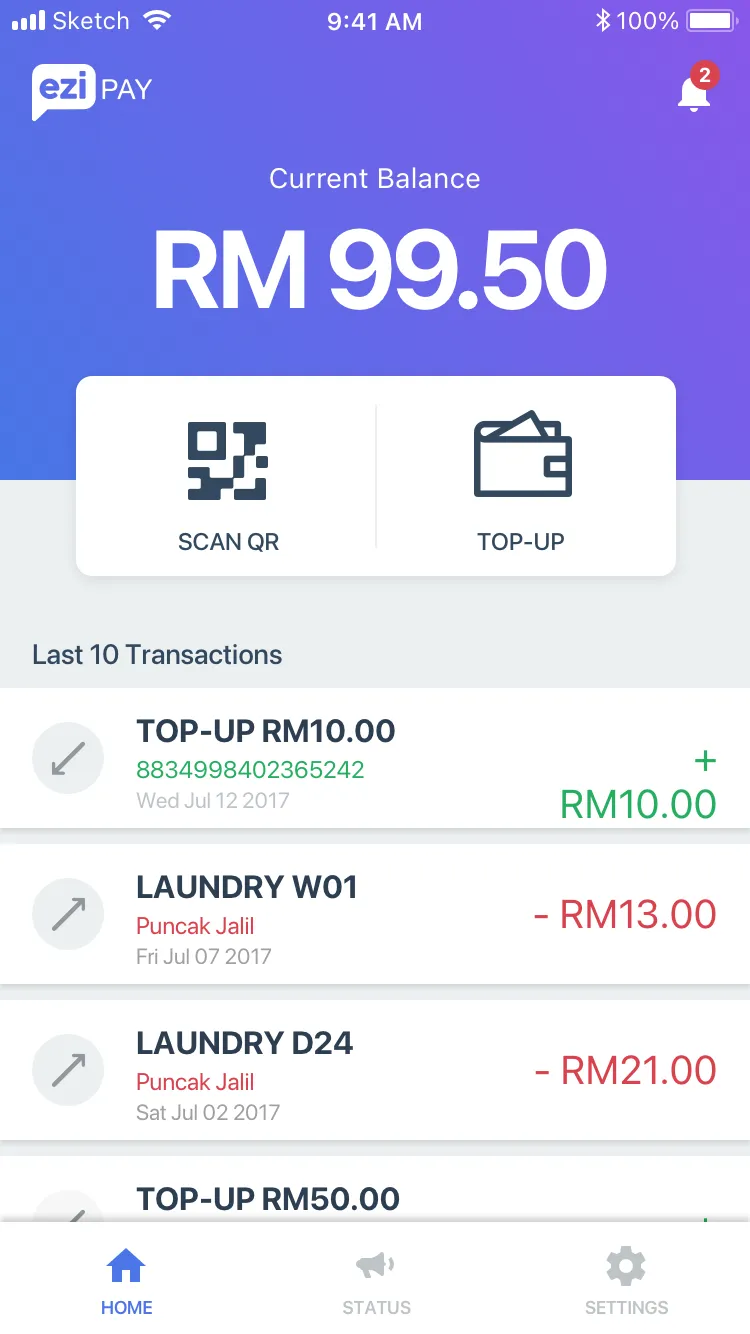
The first version was built around one button. You open the app, tap START, scan the machine. Your balance is a small row at the bottom, under the eziPod lockers row, and your transactions are a tap further in. The new one puts the balance first, big, on a blue to purple gradient, with Scan QR and Top-up as two buttons under it and your last ten transactions right there, top-ups in green, washes in red. Tabs along the bottom for home, status and settings, and a bell for notifications.
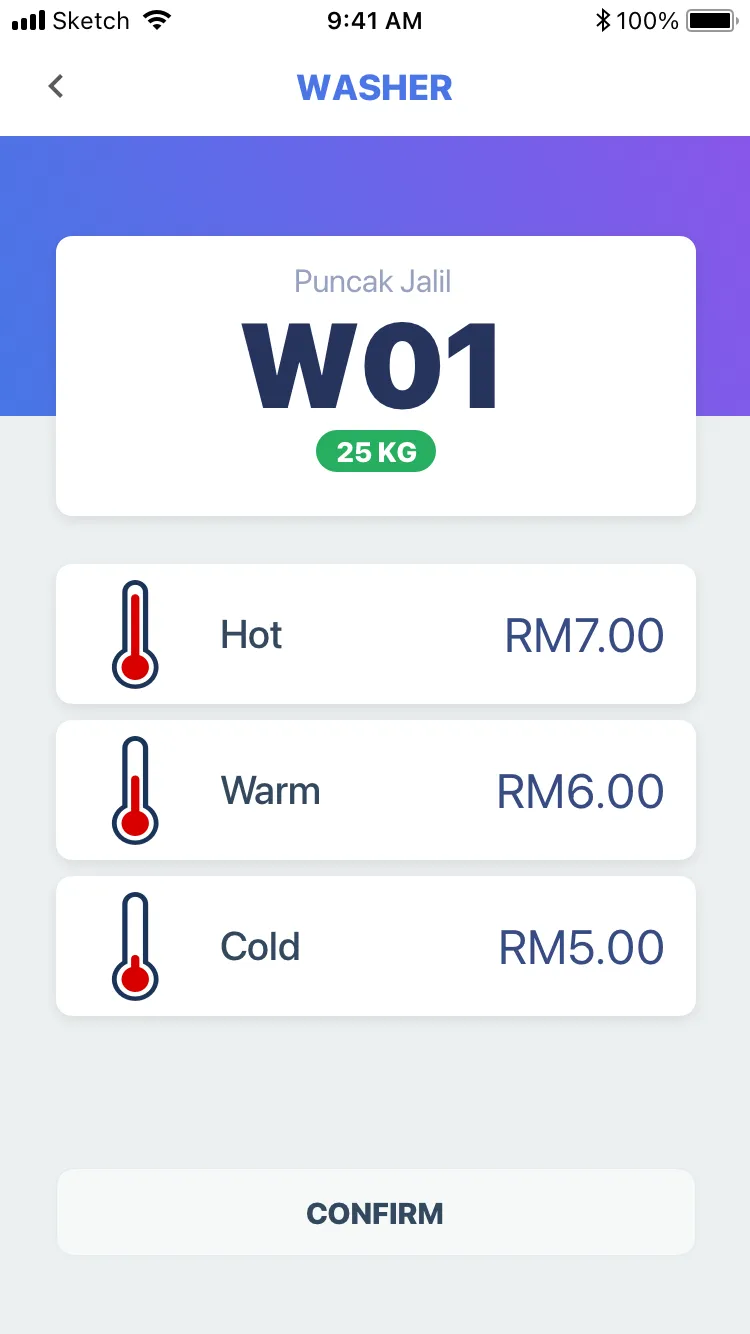
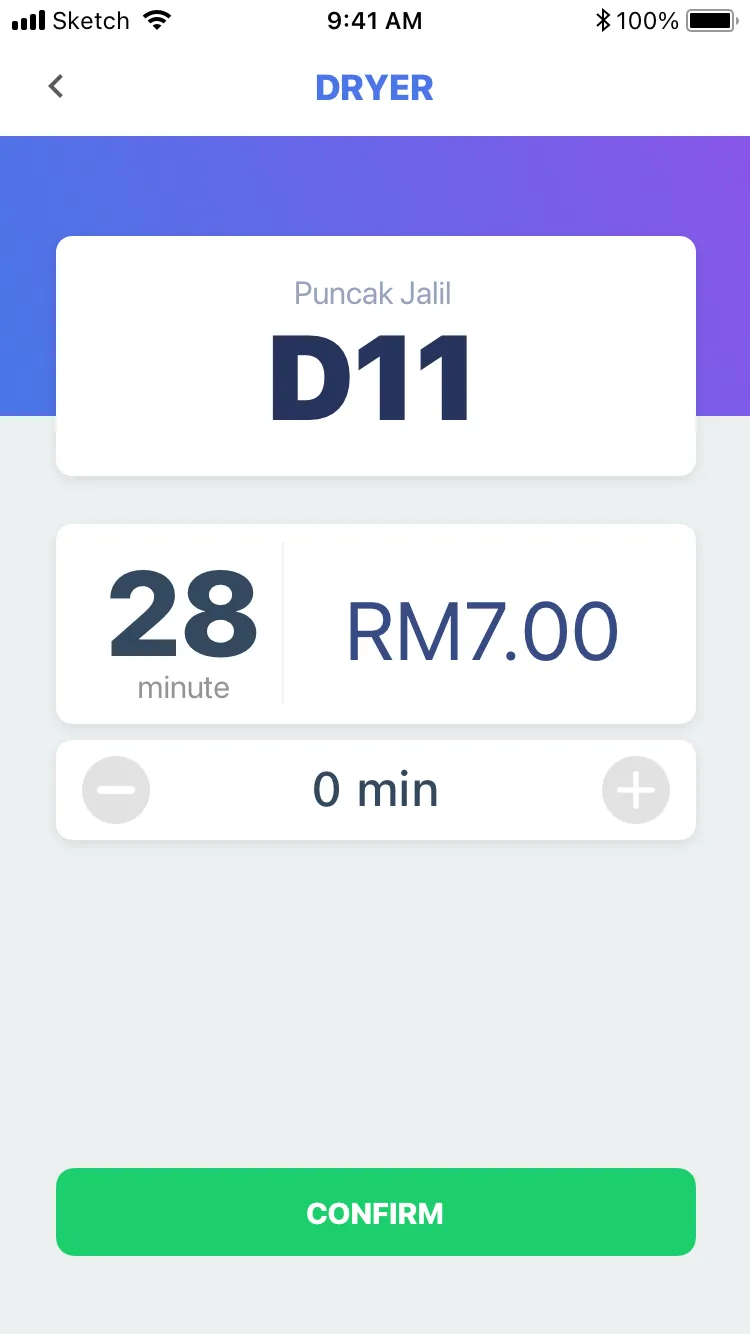
The washer screen loses the illustration. The machine’s number is the big thing now, W01, with the outlet above it and the size on a green tag, and the temperatures are a list, one row each with the price on the right, instead of three tiles with a radio button on top. Same idea for the dryer… the minutes and the price side by side, and a plus and minus under them.
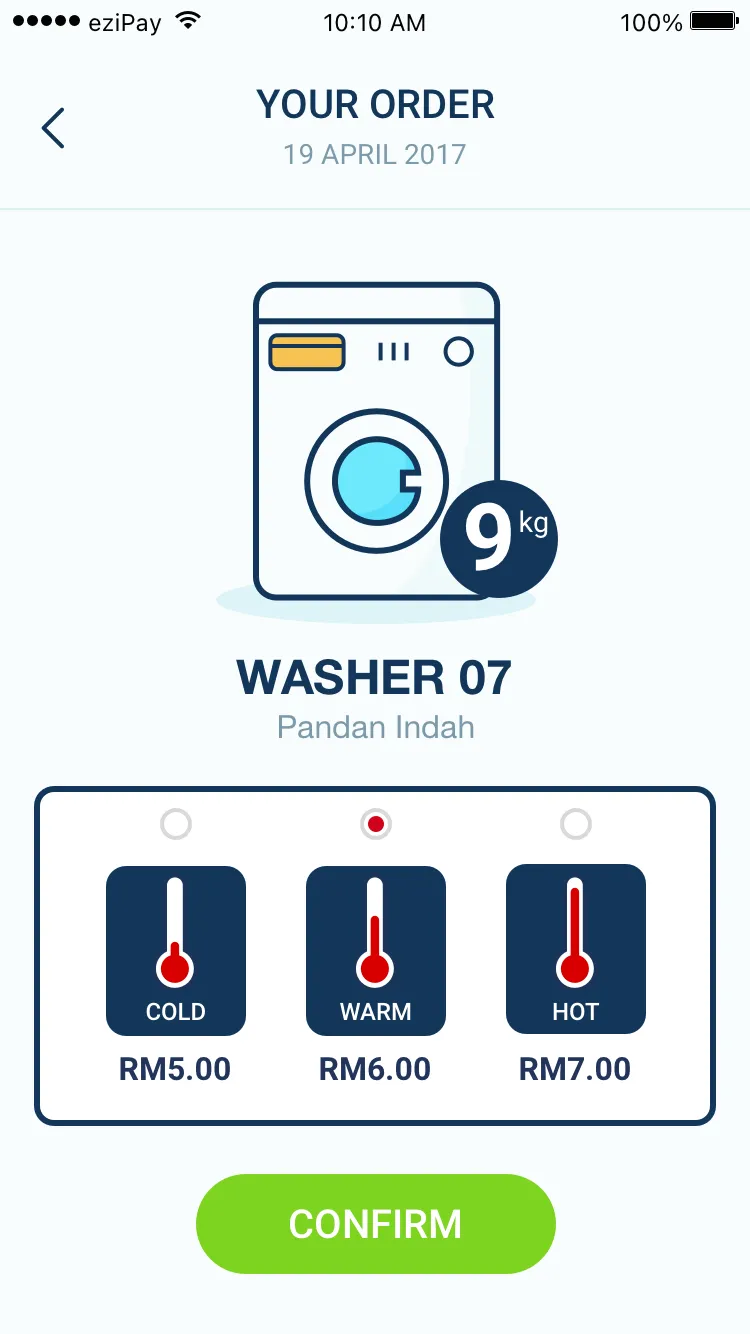
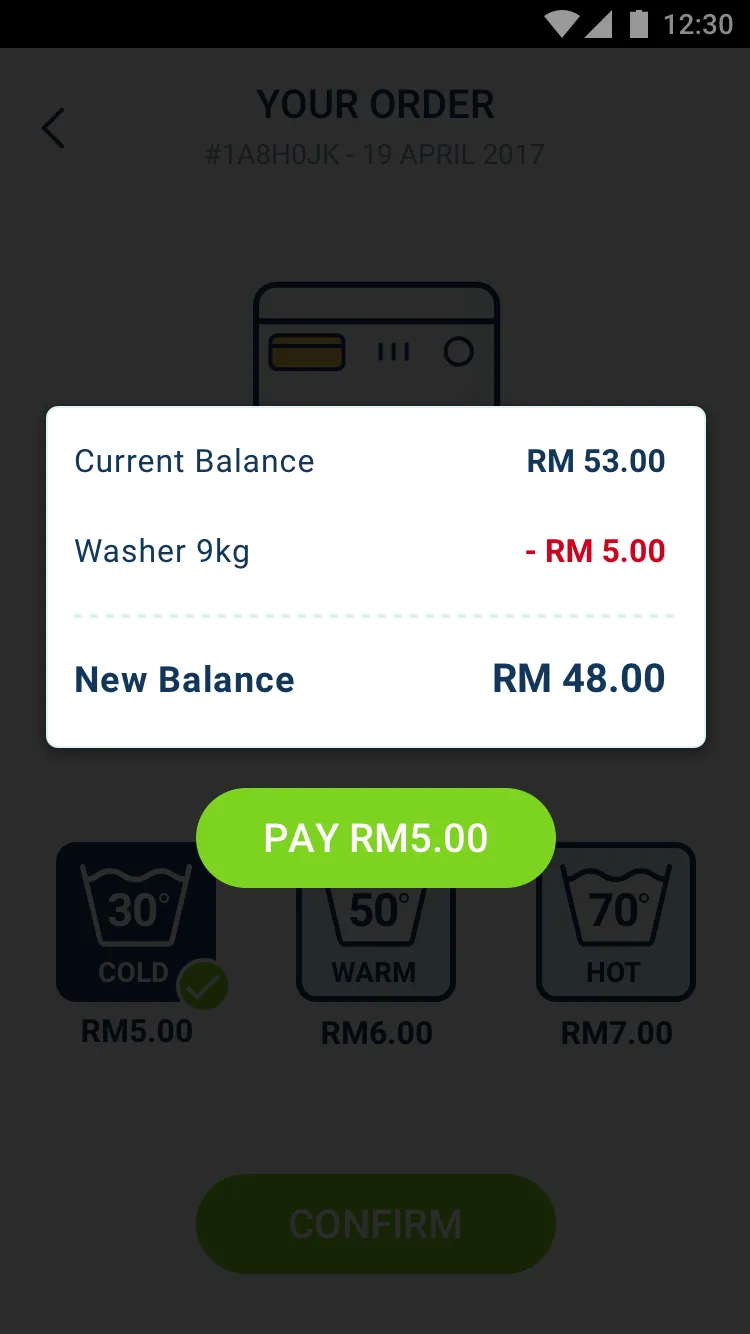
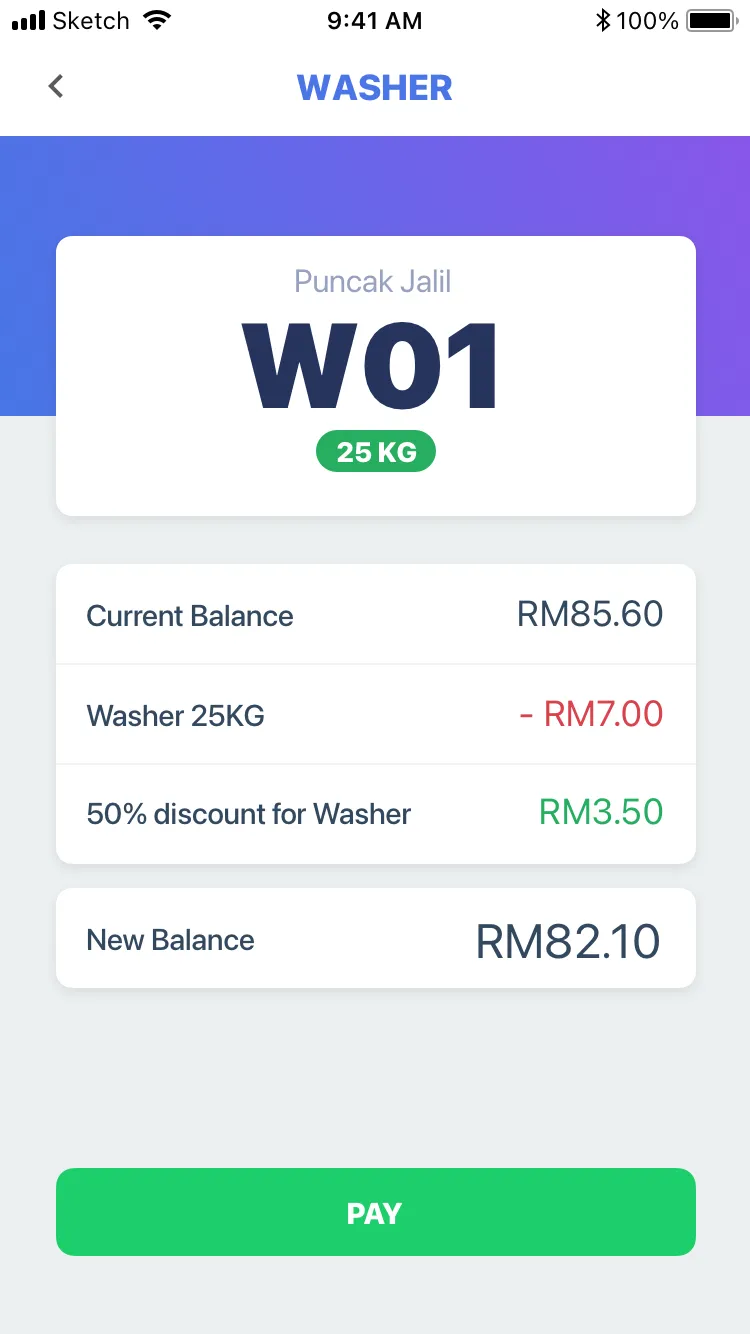
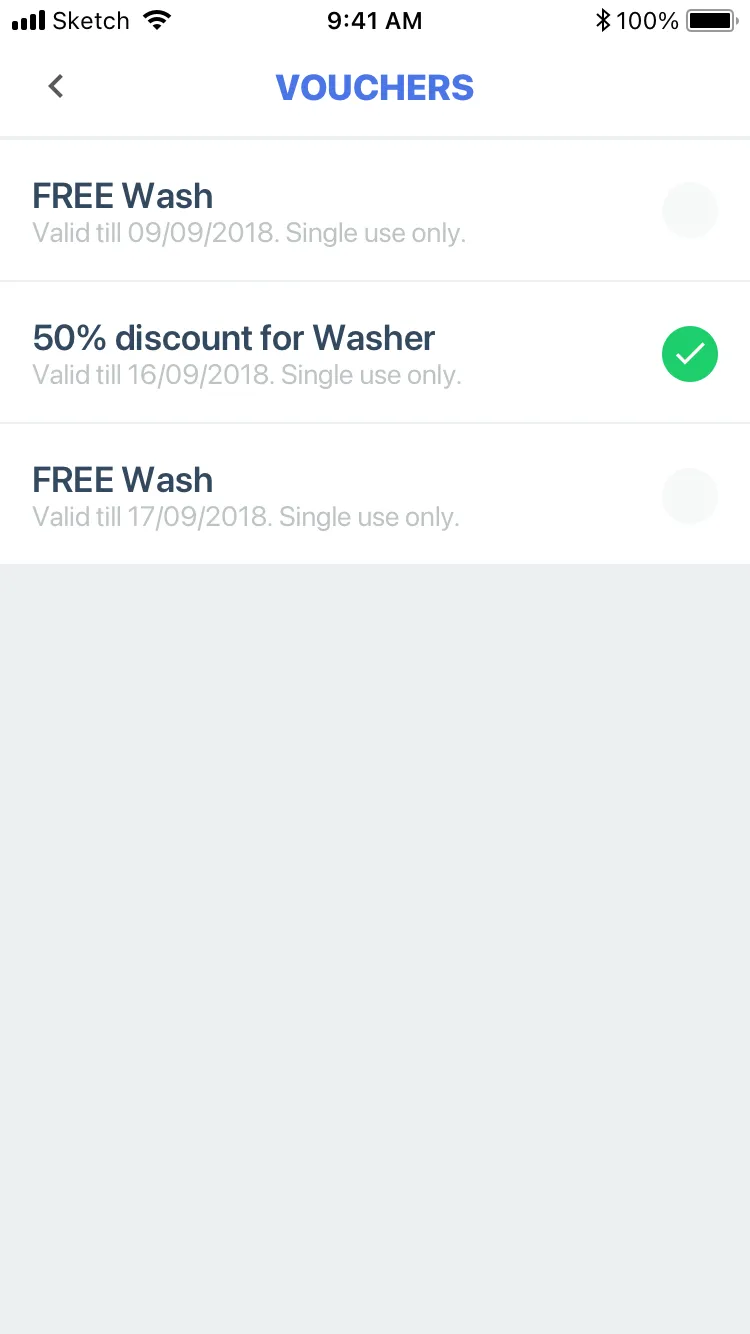
Paying used to be a popup over the order, current balance, the wash, new balance, Pay. It’s a page of its own now, with a line for the voucher in between. Vouchers are new. They come from the promotions we set up in the admin, a free wash or 50% off a washer, each valid till a date and single use, and you see them on their own page and again when you pay, where the discount comes off before the new balance.
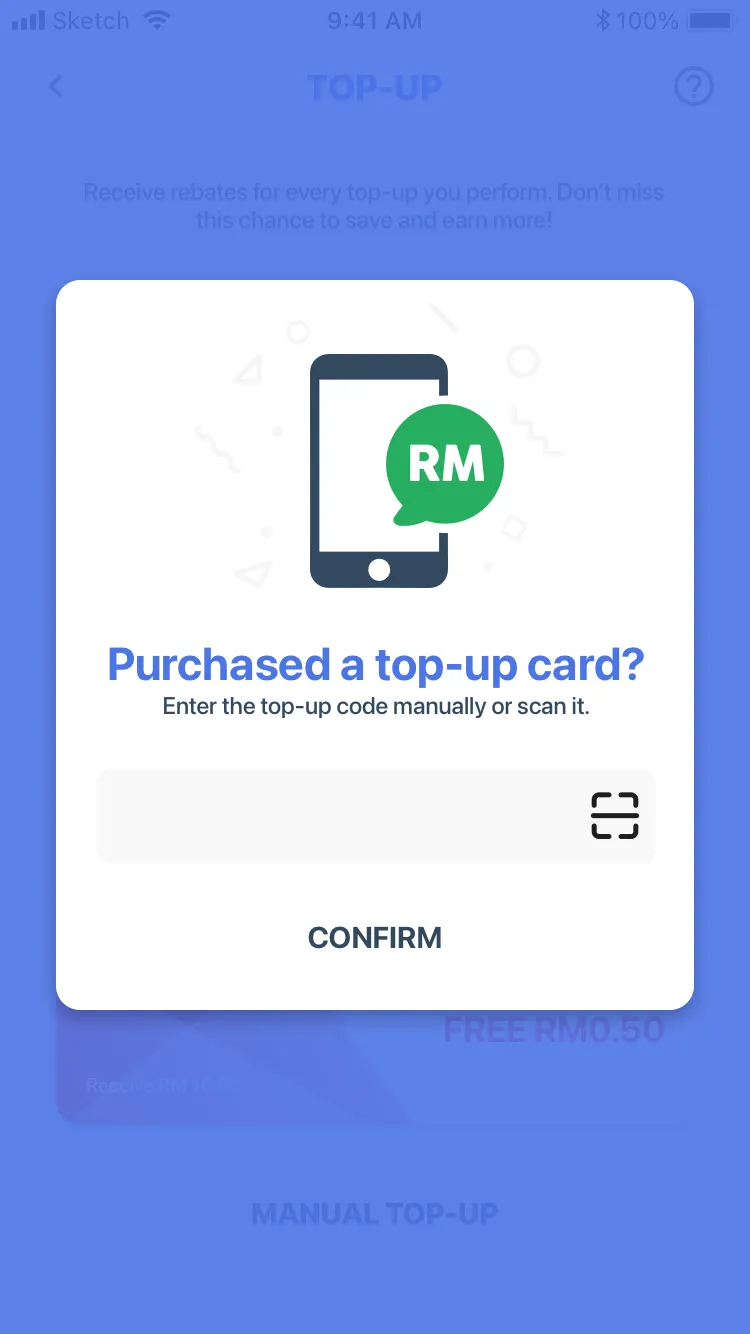
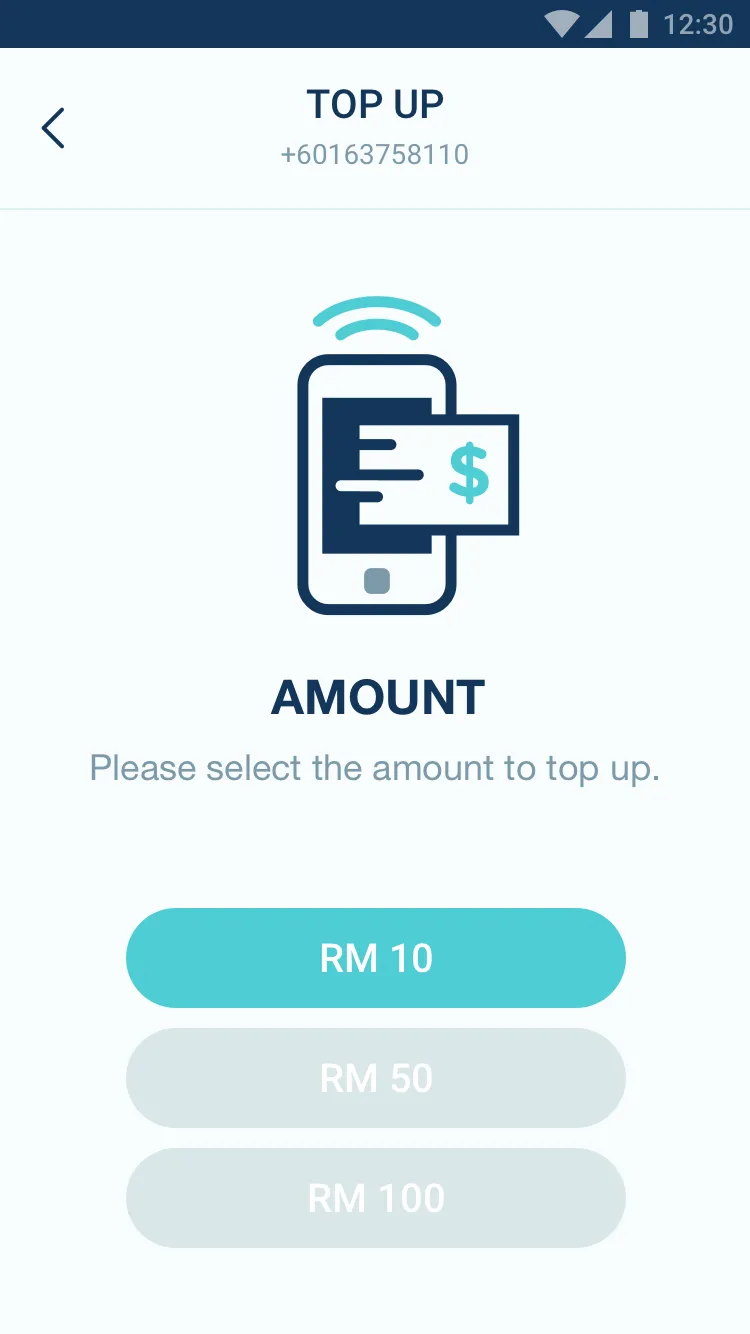
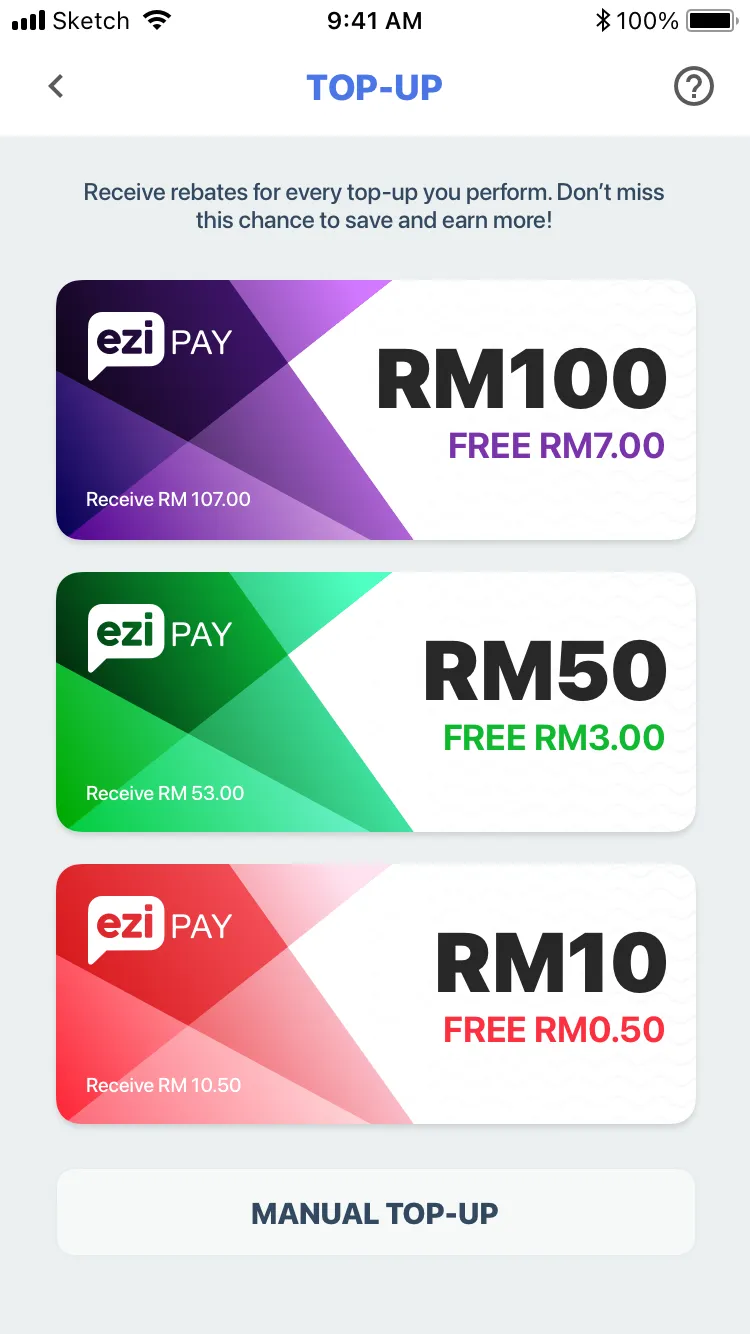
Top-up had three plain buttons, RM10, RM50, RM100. Now the packs are drawn as tickets with the free credit on them, 50 sen on RM10, RM3 on RM50, RM7 on RM100, and there’s a manual top-up for a top-up card you bought… key in the code or scan it.
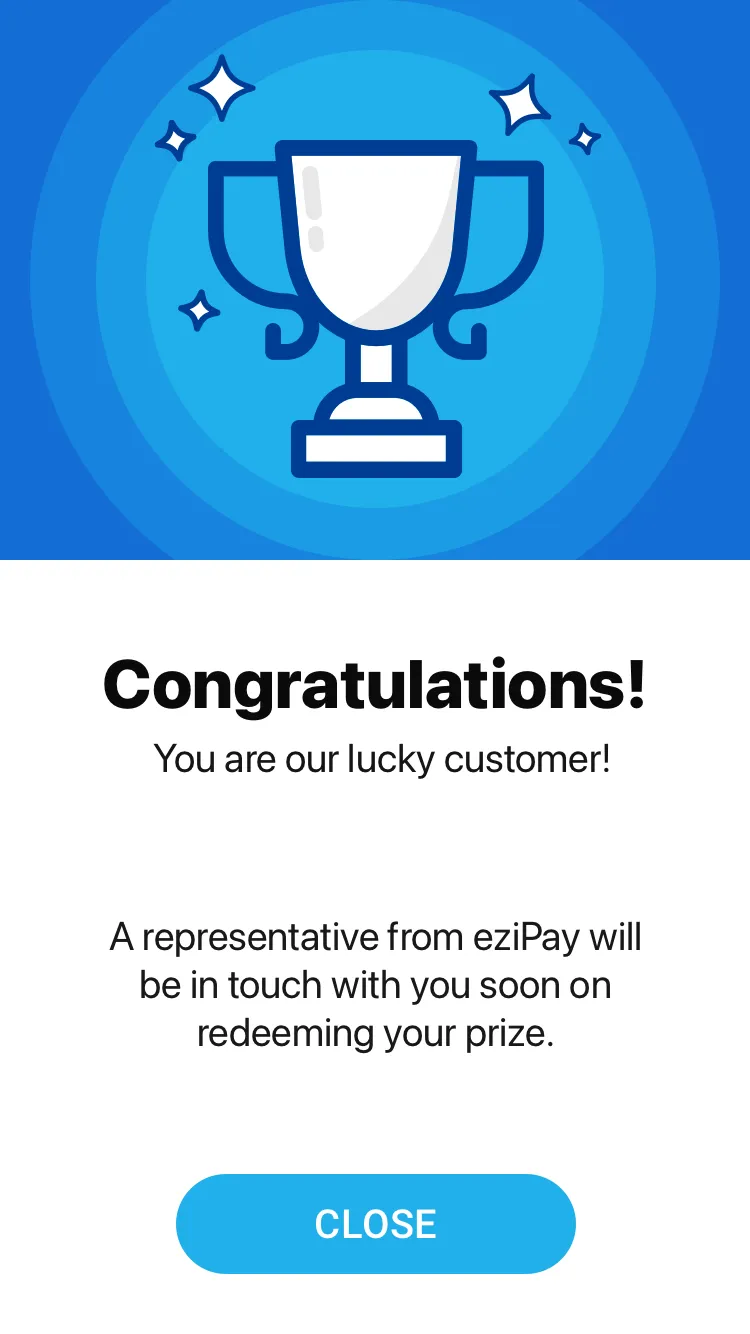
There’s a lucky customer screen from March too… a trophy, Congratulations, you are our lucky customer, and someone from eziPay will be in touch about your prize.