A DiGi account app for Windows 8, before Windows 8
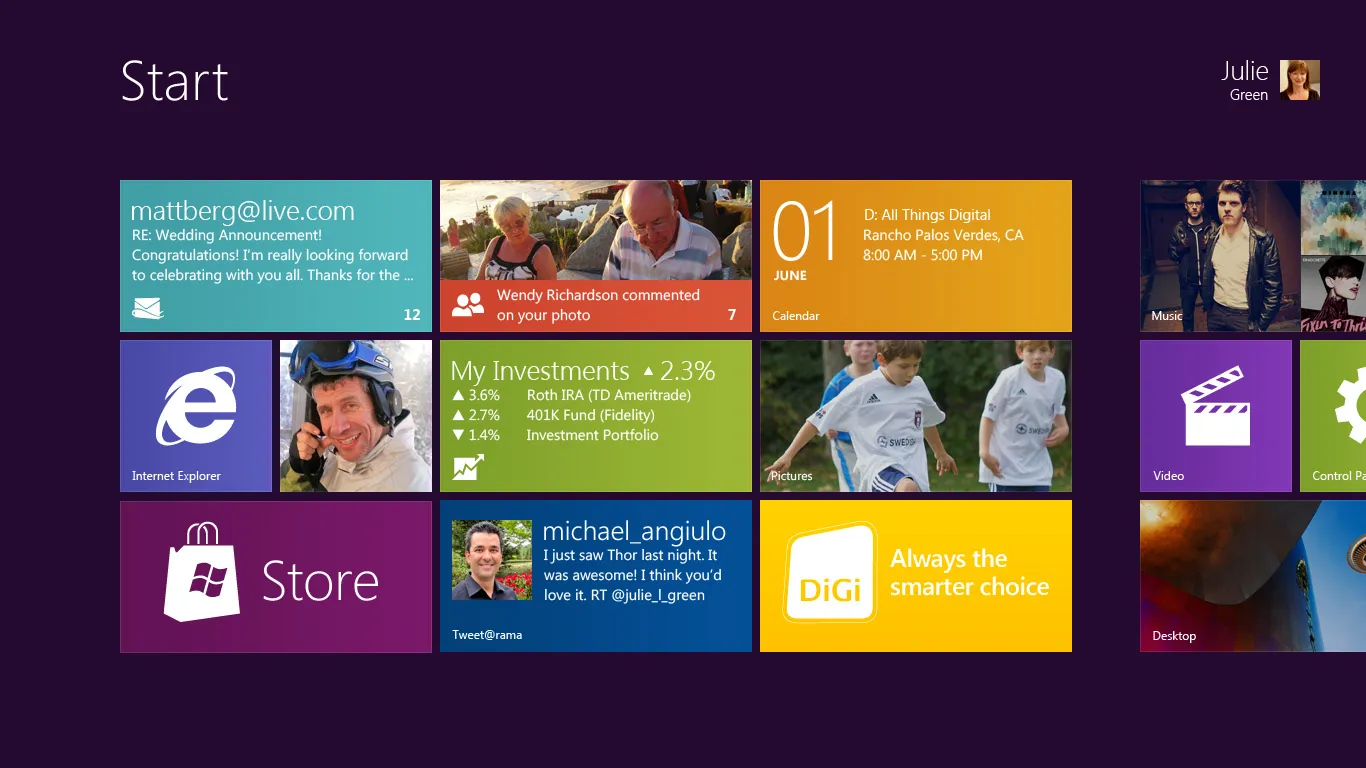
Microsoft is pushing Windows 8 ahead of its launch in October, so with DiGi we mocked up a DiGi account app for it: your bill and usage, DiGi Rewards, and a live tile that flips over.
Windows 8 comes out in October, and Microsoft is pushing it everywhere already. So this pitch was for Microsoft and DiGi together… a mockup of a DiGi account app for Windows 8, months before anyone can buy the thing.
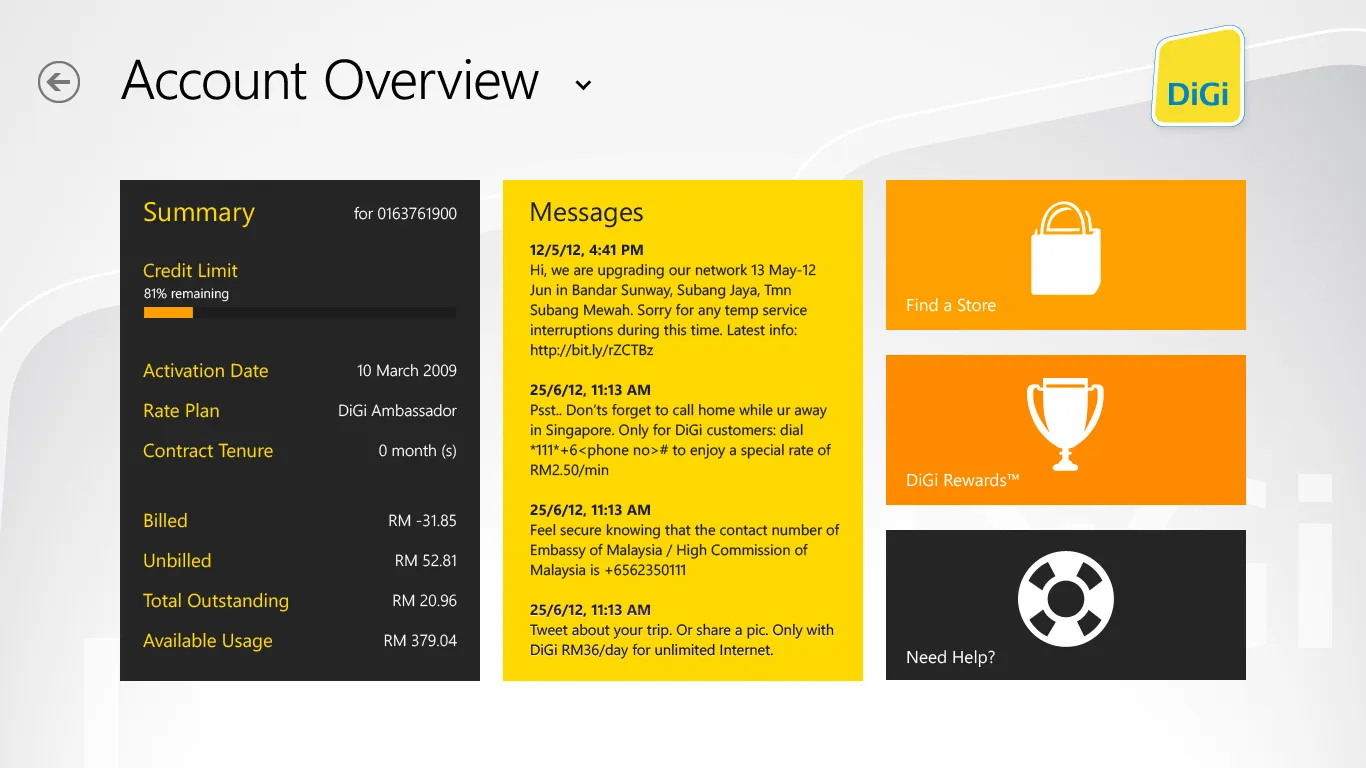
The app is for looking after your DiGi account without going to the website. One login for mobile and broadband, and then an overview that changes with the kind of account you have. Postpaid gets the credit limit, what’s billed and unbilled, and what’s outstanding. Prepaid gets the balance and a reload button. The messages from DiGi sit in the middle, and the tiles on the right go to the store locator, DiGi Rewards and help. The Rewards tile is live… every so often it flips over to show the latest deal.
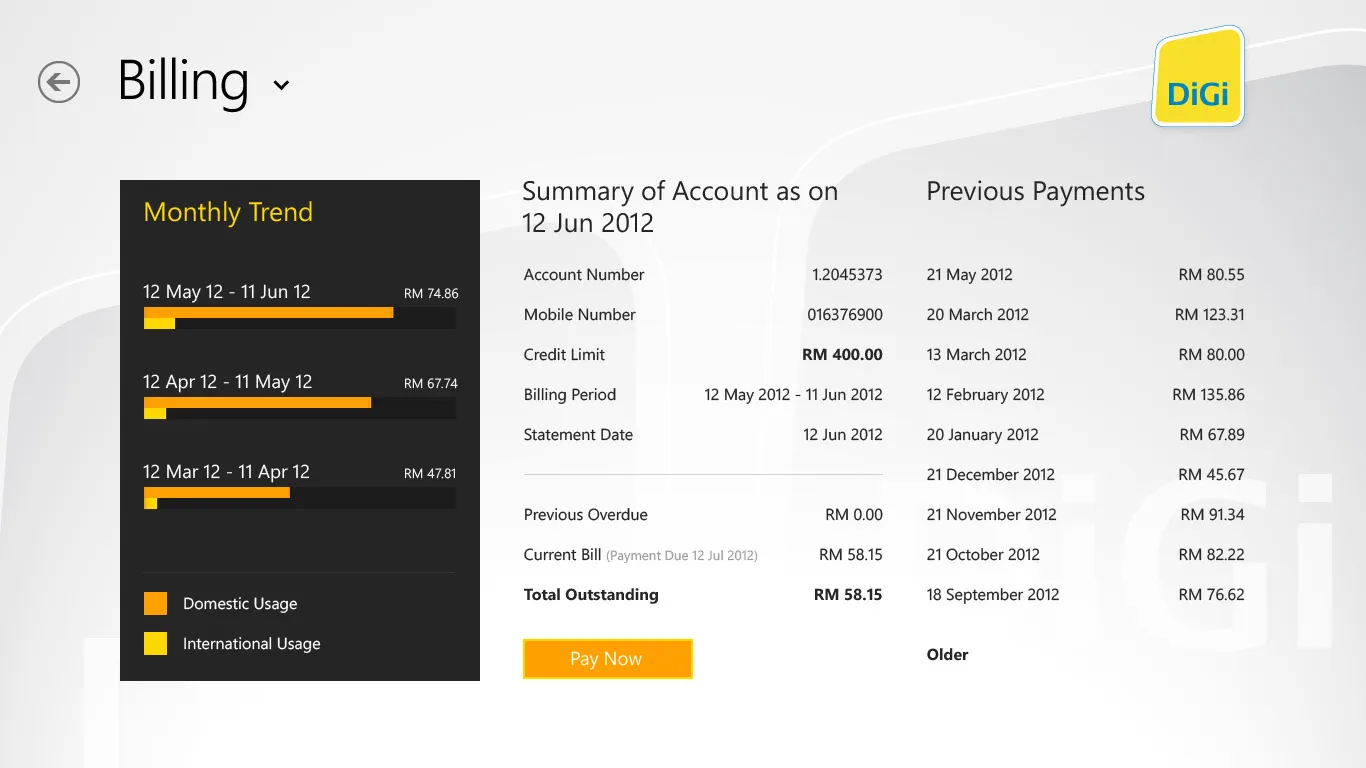
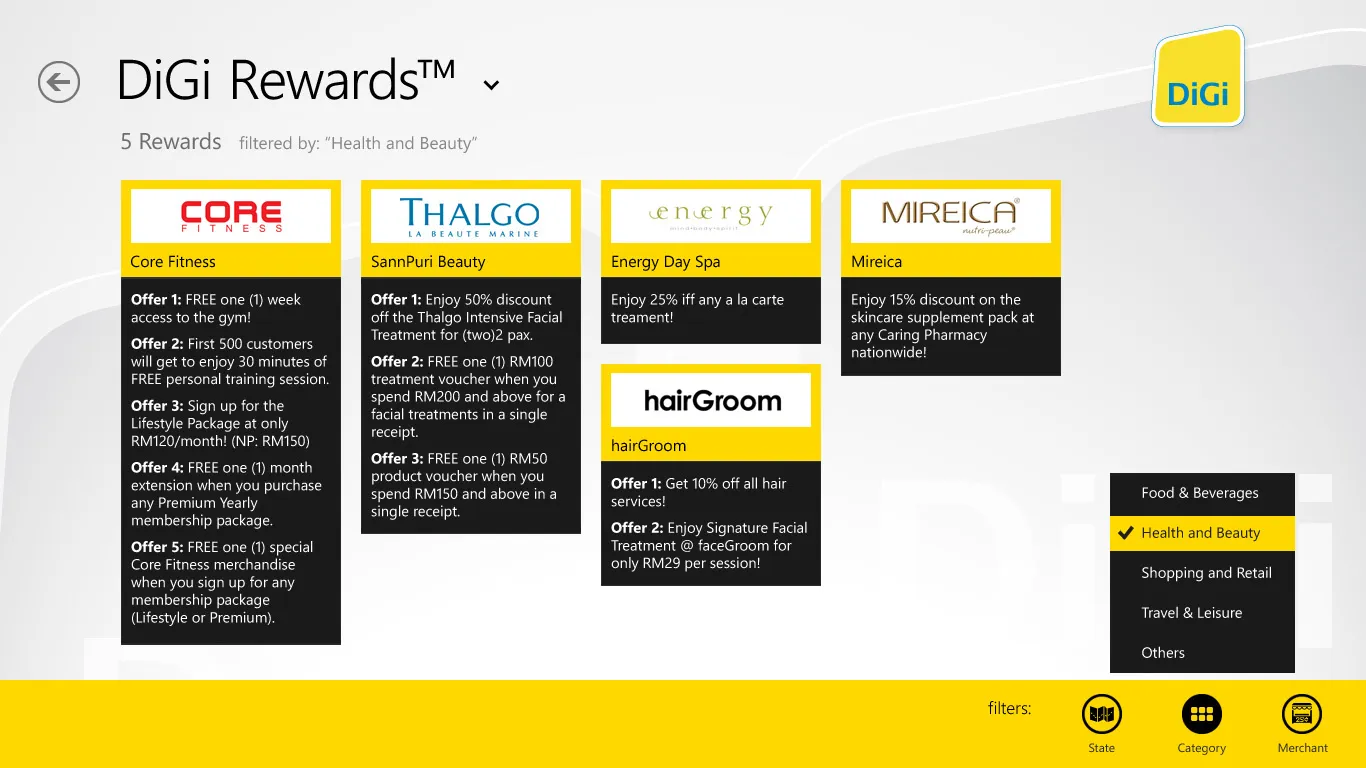
Billing shows the monthly trend as bars, this month’s summary and the previous payments, with a Pay Now button. DiGi Rewards is the deals page, filtered by state, category and merchant, and tapping a deal opens it up. Find a Store searches DiGi’s outlets by name and area, with the opening hours and what each one does. Help and Support has the questions people ask most, a D’Chat button to talk to someone, the call centre number, and your device details already filled in.
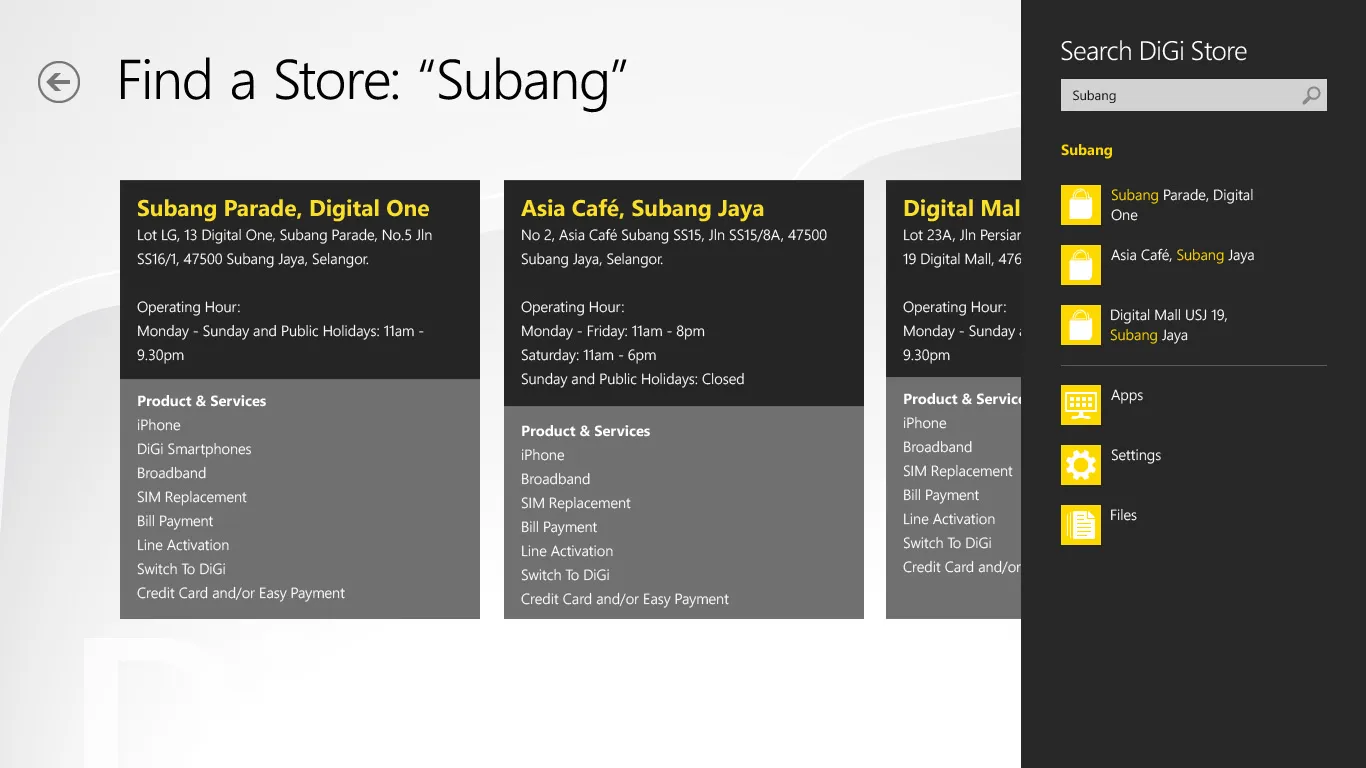
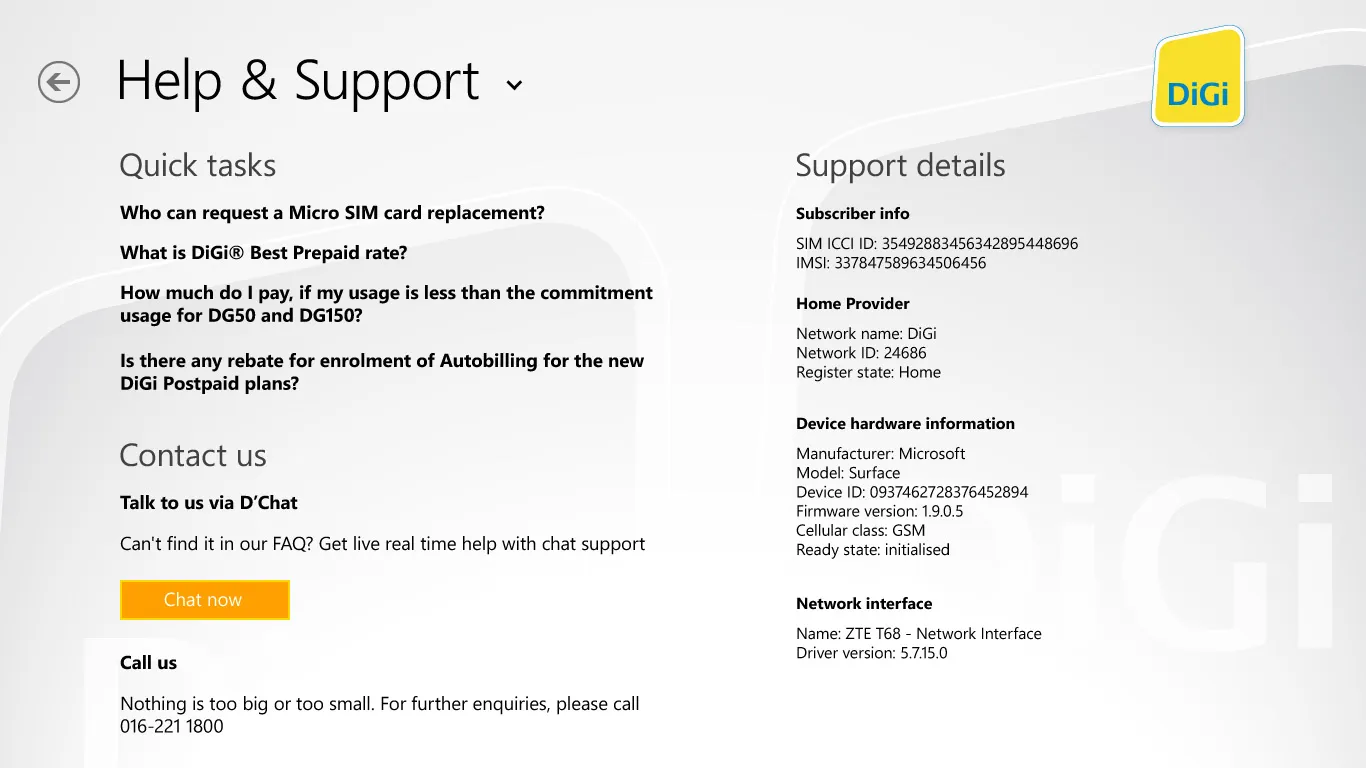
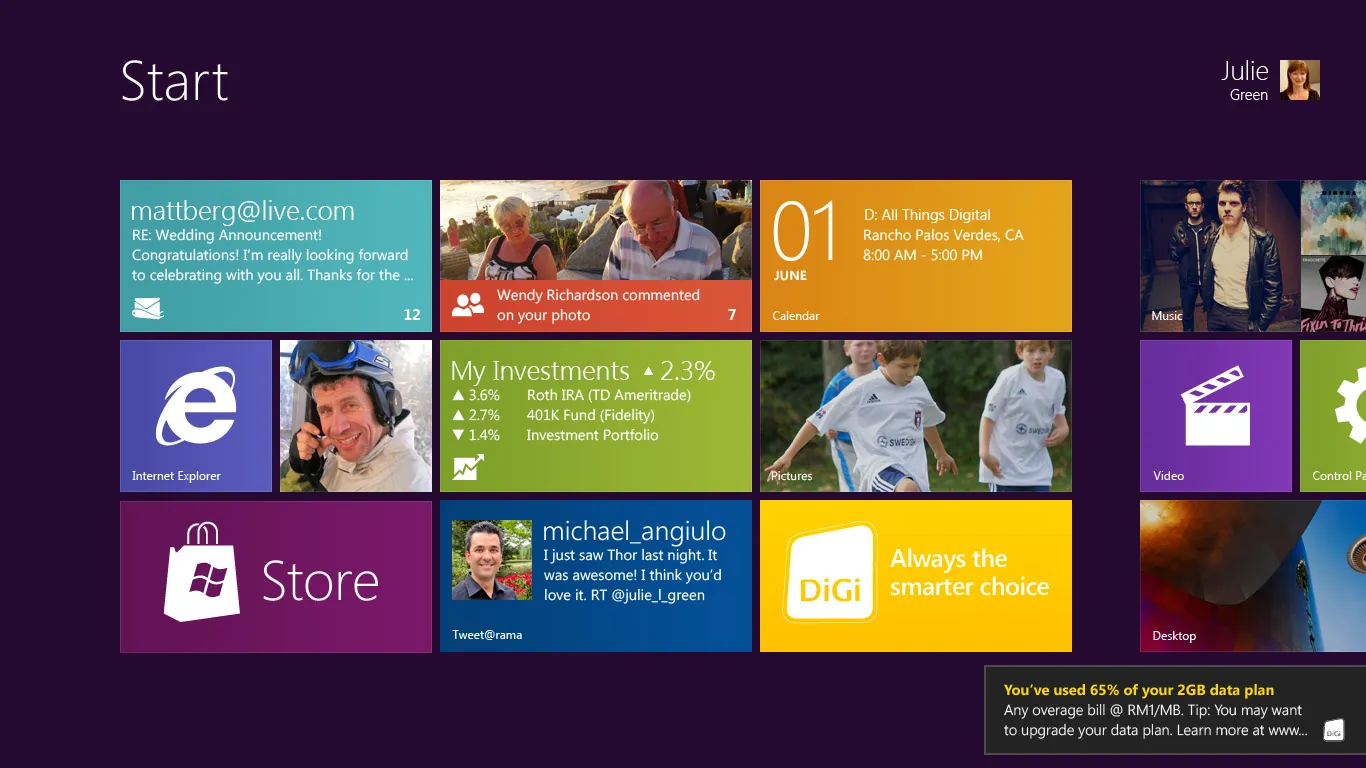
The Windows 8 bits are the tile and the toasts. The Start screen tile has two faces, and the back shows your usage summary, so a postpaid user sees their billing cycle and credit left, and a prepaid user sees their balance and when it expires, without opening the app. Toasts come in when you’re close to your data cap, and DiGi can use them for service messages too.
Some screens aren’t drawn yet, like the message list, the prepaid reload and the bill payment, and what the app can do depends on which of DiGi’s APIs we can get at. D’Chat, for one, is in there assuming there’s an API for it.