Transcribing on the Mac: why I built the transcribers and how the YouTube one works
Whisper runs on the Mac through whisper.cpp, so a transcript doesn't need a subscription or a token bill. How the YouTube Transcriber is put together, the CLI I added for Claude, and why the file version went native and notarised.
A few days ago, I wrote about three small internal tools I’d built this year with Claude Code. Two of them were transcribers, one for YouTube videos and another for audio and video files.
Both run on the Mac and transcribe with whisper.cpp, without sending the audio to an online service.
I originally built them because I needed transcripts for our content work and didn’t see much reason to pay for something my own computer could do.
Why I built my own
The YouTube Transcriber came first, in July. We were turning Mr Money TV episodes into blog posts, and I needed a way to get the spoken content into text first.
I could have used a paid transcription service, or asked Claude to transcribe the video through a skill that calls an external API. But that would mean paying for every transcription, even though I already had a Mac capable of doing the work locally.
whisper.cpp is a C++ port of OpenAI’s Whisper speech recognition model. The model weights are publicly available, and whisper.cpp runs them on a Mac using Apple’s Metal framework to take advantage of the GPU.
I tried it and was impressed by how well it handled our Malaysian accents and Manglish.
The main trade-off was the model size. I chose large-v3-turbo, which is about 1.6 GB. The app downloads it on first launch and keeps it on the Mac, so there’s no need to download it again. For an internal tool used by a handful of people, I was fine with that.
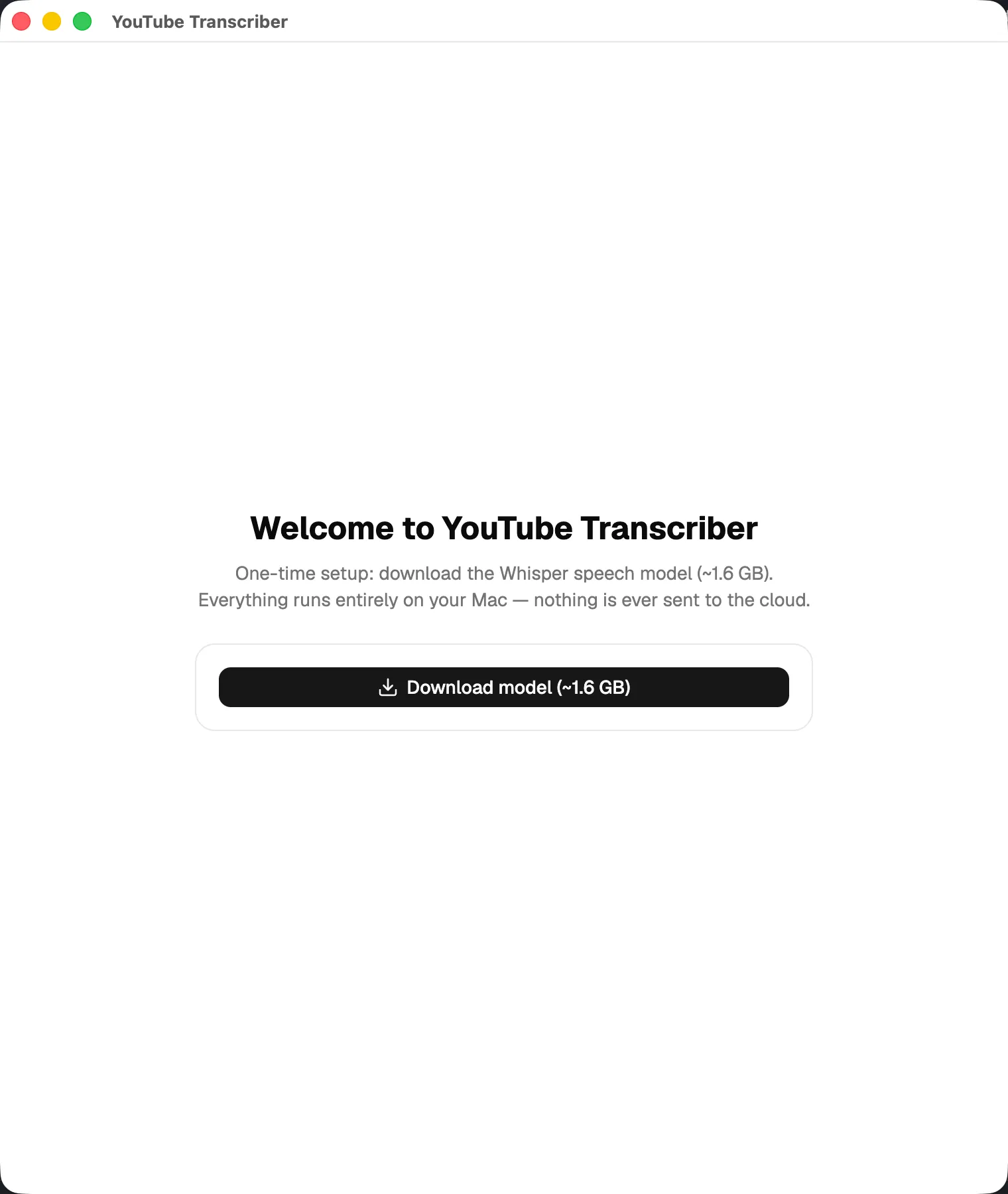
With Claude Code doing most of the implementation, I had the first working version in two days.
From a YouTube link to a transcript
Underneath the interface, the app uses three command-line tools working together.
First, yt-dlp downloads the best available audio stream from the YouTube video. There’s no need to download the video itself.
Next, ffmpeg converts the audio into a 16 kHz mono WAV file, which is what Whisper expects.
Finally, whisper-cli processes the audio using the large-v3-turbo model. The app takes its output and displays the transcript, with the option to show or hide timestamps.
Streaming didn’t work properly in the first version. The app only displayed the transcript after the entire recording had finished processing. I’d passed a flag to whisper-cli that removed the timestamps, but that also meant the output arrived as one long line at the end.
Once I removed the flag, Whisper started printing each segment as it completed, together with its timestamp. That was all I needed to make the transcript appear progressively in the window. The plain-text and timestamped views now use the same segments, just displayed differently.
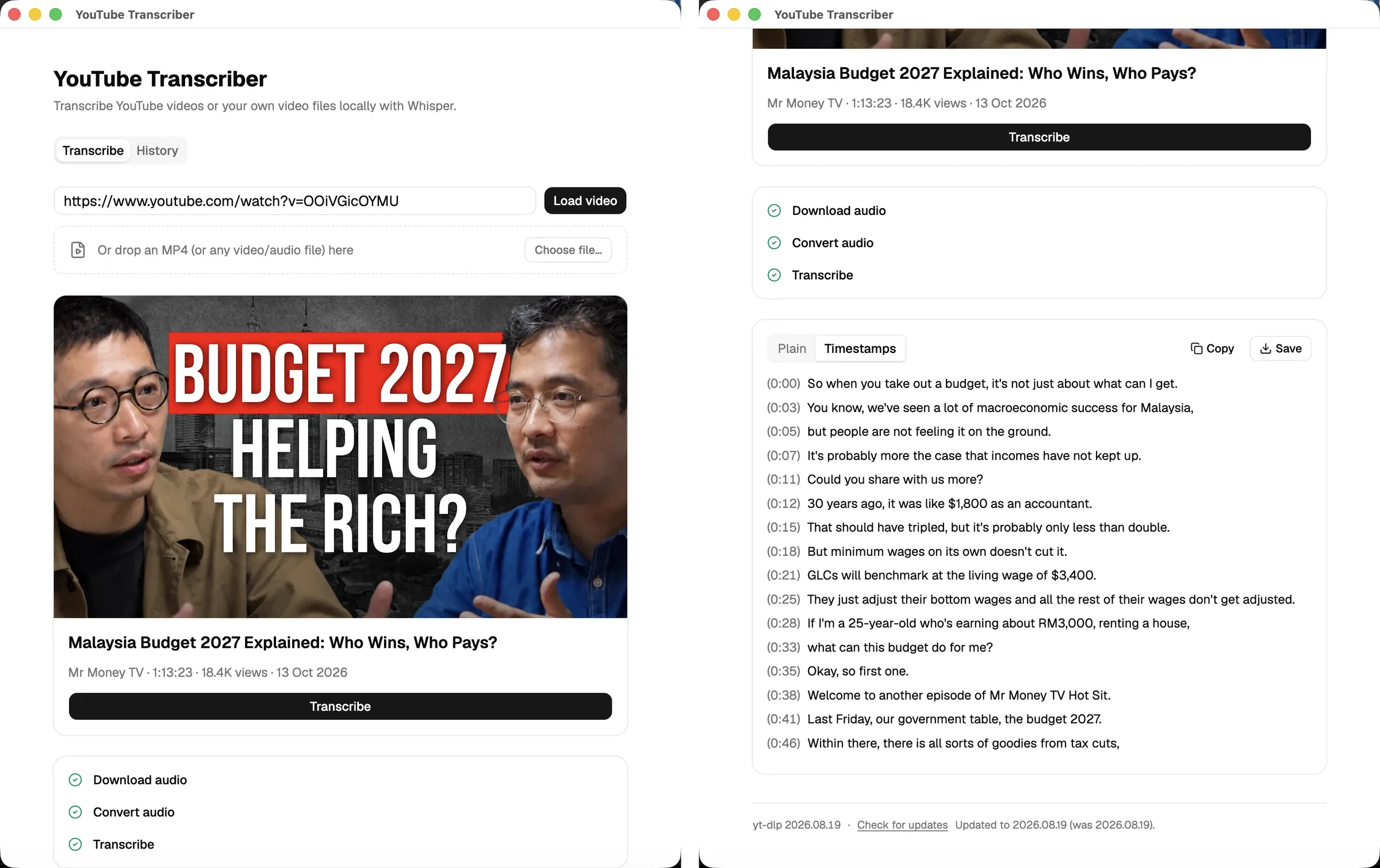
I bundled yt-dlp, ffmpeg and whisper-cli with the app, with whisper.cpp compiled statically. Nobody on the team needs to install Homebrew or set up any dependencies.
An internet connection is still needed to download the YouTube audio, of course. But once the audio and model are available, the transcription happens entirely on the Mac.
Letting Claude use the same transcriber
In August, I added a command-line version so Claude Code and our scripts could use the transcriber without opening the app.
The CLI uses the same pipeline modules, binaries and downloaded Whisper model as the desktop app, so there’s no Electron and no build step.
Give it a YouTube URL, and it returns a JSON object containing the video details and transcript.
The output is designed to work with scripts. Progress messages go to stderr, leaving stdout for the JSON result. Errors are returned as JSON too, with different exit codes so a script can tell what went wrong.
By default, CLI runs are also saved in the app’s history. So if Claude transcribes a video, I can open the desktop app later and find the transcript there.
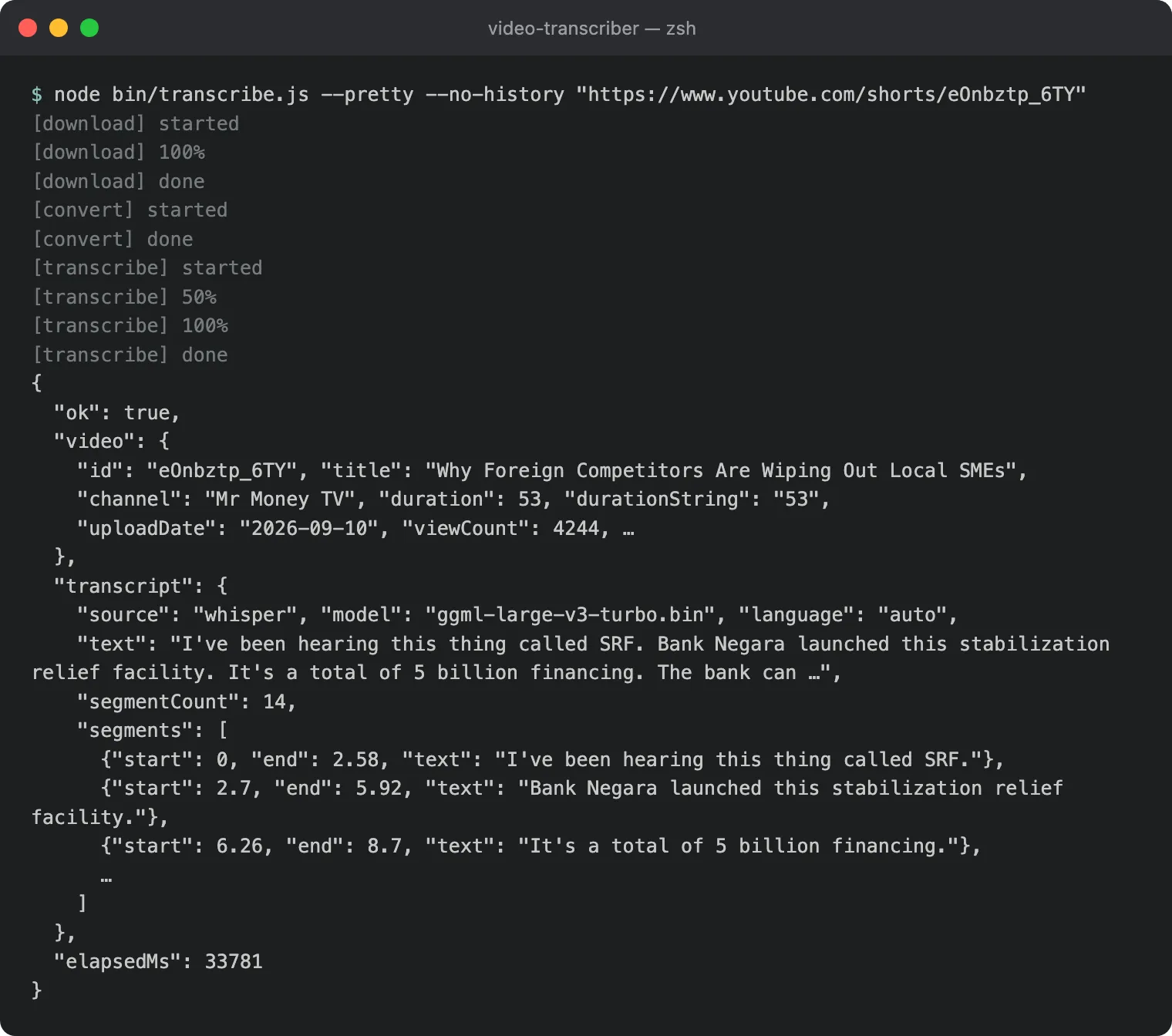
Claude Code can now run the script, get the transcript back as JSON and work from it.
The transcription itself doesn’t use any API tokens. Whisper does all the speech recognition locally, although Claude still uses tokens when it works with the resulting text.
Keeping up with YouTube
One problem with downloading videos from YouTube is that YouTube regularly changes how it serves them. That occasionally breaks yt-dlp. A version that worked when I built the app might stop working a few weeks later. Last month, for example, downloads started failing with a 403 error.
I could have updated yt-dlp, rebuilt the Electron app and sent everyone a new version. But I didn’t want to repeat that process every time YouTube changed something. So I made the app manage its own copy of yt-dlp.
On launch, the app checks GitHub for a newer release, but no more than once a day. If the Mac is offline, it skips the check.
When a newer version is available, it gets saved in Application Support rather than inside the .app bundle. The app remains unchanged, and the downloaded version takes priority over the one that shipped with it.
If a video download fails, the desktop app shows an Update yt-dlp button so the user can try again.
The CLI goes one step further. It updates yt-dlp and retries the download automatically, which is particularly useful when Claude is running it unattended.
Why I built another one in Swift
The Audio Transcriber came later, for recordings and video files rather than YouTube links.
I had two reasons for building it. I wanted to see whether Claude Code could build a native Mac app even though I have no experience with native macOS development, and I wanted something smaller.
The YouTube Transcriber was built with Electron. It worked well, but the installed app was about 430 MB, most of which came from Chromium. That’s a lot of space for what the new app needed, which is essentially a drop zone and a text view.
So I asked Claude to build the second app using SwiftUI instead.
The first version was working in a day, and the resulting app was under 50 MB.
There were other benefits too. macOS already has AVFoundation for reading audio and video files, so there was no need to bundle ffmpeg, and whisper.cpp provides a prebuilt framework for Xcode.
And if the YouTube Transcriber is installed on the same Mac, the Swift app can reuse its Whisper model. There’s no need for another 1.6 GB download.
The other thing I wanted to get right was distribution.
When I built the Electron app, I was the only person using it, so I never bothered signing it. I could clear the quarantine flag in Terminal and carry on.
But the Swift app was meant for the content team. I didn’t want everyone having to work around Gatekeeper just to open an internal tool.
Since we already had an Apple Developer account for MoneyMama, I used it to sign and notarise the app properly.
The release script signs it with a Developer ID certificate, sends it to Apple’s notary service, attaches the notarisation ticket, creates a DMG and tags the release.
For the team, installing it is just a matter of opening the DMG, dragging the app into Applications and launching it.
A week later, they asked for speaker labels and start-to-end timestamps to help with video editing. I added those as well, but that deserves its own post.
Small tools worth building
Neither transcriber took more than a couple of days to get working.
Whisper handles the speech recognition, Claude Code does most of the coding, and the Mac does the processing. Once the tools are installed, we’re not paying a service every time someone needs a transcript.
A few years ago, I probably would have subscribed to something and moved on. Building and maintaining two Mac apps for a handful of users wouldn’t have seemed worth the effort.
That’s changed. With Claude Code, I can make something that fits how we work without spending weeks developing it. I think more and more of this will end up in people’s own hands, because with a bit of knowledge you can build the tool you need. There’s still maintenance to think about, as the yt-dlp issue showed, but for tools like these, I’d rather try building one ourselves before paying for another subscription.